
Introduction
In the race to have the most feature packed motherboard, many manufacturers are coming out with various innovation to differentiate their products. In the past, we saw audiophile quality audio processors embedded onto motherboards, adoption of USB3.0/SATA 6Gbps and recently, the race for adoption of Thunderbolt interface. In case you are not familiar with Thunderbolt, it's a new interface invented by Intel which was first featured in Apple's Macbook Pro. It boasts crazy speeds of up to 10Gbps, bringing the possibilities of connecting bandwidth hungry internal device via an external interface.
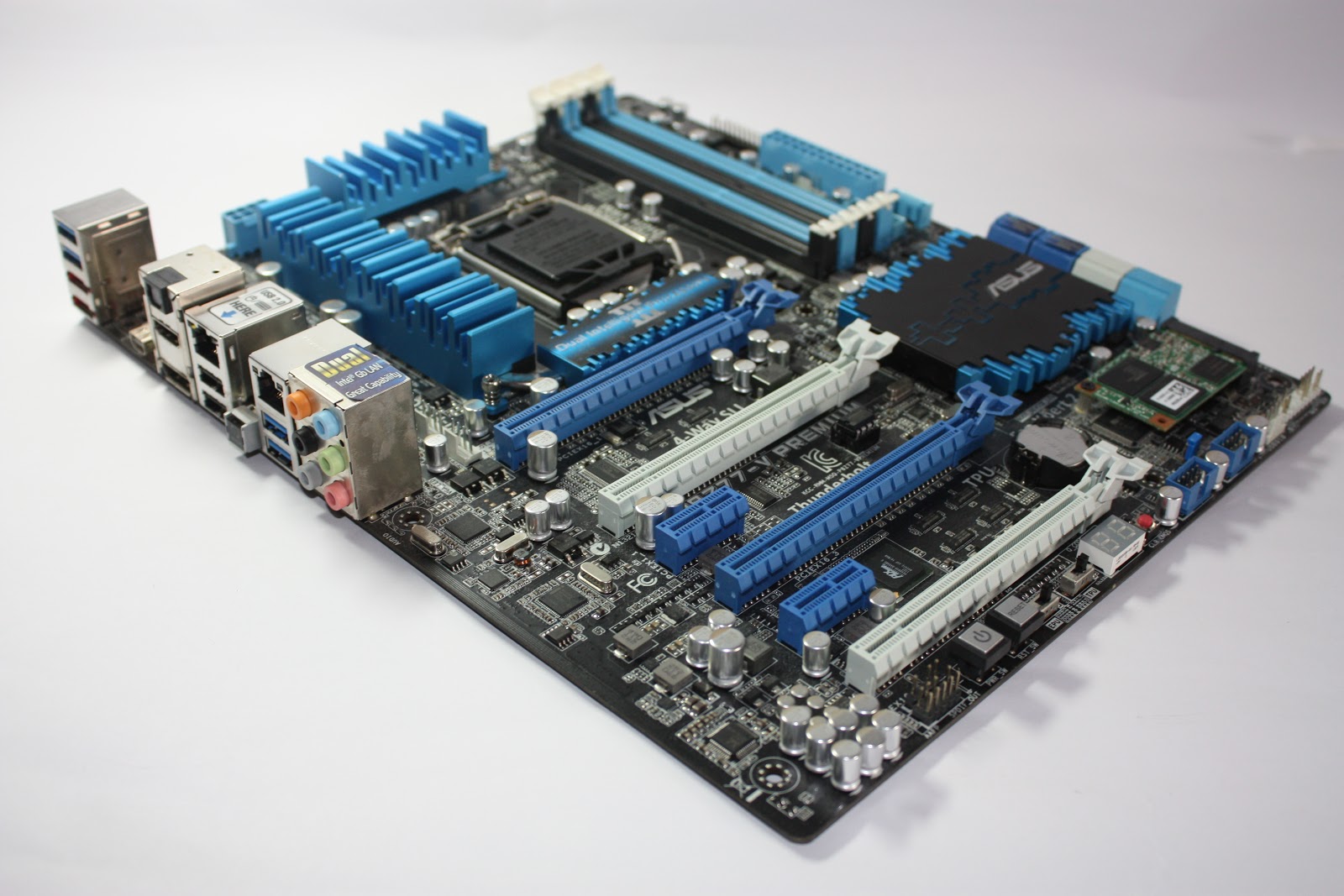
Today, we are going to look at ASUS's P8Z77-V Premium Motherboard. It stands out from the rest of the Z77 offerings from ASUS because of the thunderbolt port found at the back panel. Targeted at users who require the thunderbolt port for their peripherals, the P8Z77-V Premium also features various innovative add-ons that excites enthusiasts. It's an all-rounder, a good choice for those who want the best of the best for a mainstream build and also to future-proof their build by getting ready for the surge of Thunderbolt enabled devices in the near future.
Specifications
| CPU | Intel® Socket 1155 for 3rd/2nd Generation Core™
i7/Core™ i5/Core™ i3/Pentium®/Celeron® Processors |
| Supports Intel® 22 nm CPU | |
| Supports Intel® 32 nm CPU | |
| Supports Intel® Turbo Boost Technology 2.0 | |
| * The Intel® Turbo Boost Technology 2.0 support depends on the CPU types. | |
| Chipset | Intel® Z77 |
| Memory | 4 x DIMM, Max. 32GB, DDR3 2800(O.C.)/2600(O.C.)/2400(O.C.)/2200(O.C.)/2133(O.C.)/2000(O.C.)/1866(O.C.)/1800(O.C.)/1600/1333/1066 MHz Non-ECC, Un-buffered Memory |
| Dual Channel Memory Architecture | |
| Supports Intel® Extreme Memory Profile (XMP) | |
| * Hyper DIMM support is subject to the physical characteristics of individual CPUs. | |
| * Refer to www.asus.com or user manual for the Memory QVL (Qualified Vendors Lists). | |
| Thunderbolt | VGA output support |
| Data transfer rate up to 10 Gbps | |
| Daisy-chain up to 6 Thunderbolt devices | |
| Graphic | Integrated Graphics Processor |
| Multi-VGA output support : HDMI/DisplayPort/Thunderbolt ports | |
| - Supports HDMI with max. resolution 1920 x 1200 @ 60 Hz | |
| - Supports DisplayPort with max. resolution 2560 x 1600 @ 60 Hz | |
| - Supports Thunderbolt with max. resolution 2560 x 1600 @ 60 Hz | |
| Maximum shared memory of 1696 MB | |
| Supports Intel® HD Graphics, InTru™ 3D, Quick Sync Video, Clear Video HD Technology, Insider™ | |
| Multi-GPU Support | Supports NVIDIA® 4-Way SLI™ Technology |
| Supports AMD 4-Way CrossFireX Technology | |
| Supports LucidLogix® Virtu™ MVP Technology *1 | |
| Expansion Slots | 4 x PCIe 3.0/2.0 x16 (dual x16 or x16, x8, x8 or quad x8) *2 |
| 2 x PCIe 2.0 x1 | |
| Storage | Intel® Z77 chipset : |
| 2 x SATA 6Gb/s port(s), gray | |
| 3 x SATA 3Gb/s port(s), blue | |
| 1 x mini-SATA 3Gb/s port(s) with onboard 32GB SSD, black | |
| Support Raid 0, 1, 5, 10 | |
| Supports Intel® Smart Response Technology, Intel® Rapid Start Technology, Intel® Smart Connect Technology *3 | |
| Marvell® PCIe 9230 controller : | |
| 4 x SATA 6Gb/s port(s), navy blue | |
| Support Raid 0, 1, 10 | |
| ASMedia® PCIe SATA controller : *4 | |
| 2 x eSATA 6Gb/s port(s), red | |
| LAN | Intel® 82579V, 1 x Gigabit LAN Controller(s) |
| Intel® 82583, 1 x Gigabit LAN Controller(s) | |
| Dual Gigabit LAN controllers- 802.3az Energy Efficient Ethernet (EEE) appliance | |
| Intel® LAN- Dual interconnect between the Integrated LAN controller and Physical Layer (PHY) | |
| Wireless Data Network | Wi-Fi 802.11 a/b/g/n |
| Supports dual band frequency 2.4/5 GHz | |
| Bluetooth | Bluetooth V4.0 |
| Bluetooth V3.0+HS | |
| Audio | Realtek® ALC898 8-Channel High Definition Audio CODEC |
| - Supports : Jack-detection, Multi-streaming, Front Panel Jack-retasking | |
| Audio Feature : | |
| - Absolute Pitch 192kHz/ 24-bit True BD Lossless Sound | |
| - Blu-ray audio layer Content Protection | |
| - DTS Ultra PC II | |
| - DTS Connect | |
| - Optical S/PDIF out port(s) at back panel | |
| USB Ports | ASMedia® USB 3.0 controller : |
| 2 x USB 3.0 port(s) (2 at back panel, blue) | |
| Intel® Z77 chipset : *5 | |
| 4 x USB 3.0 port(s) (2 at back panel, blue, 2 at mid-board) | |
| Intel® Z77 chipset : | |
| 6 x USB 2.0 port(s) (2 at back panel, black, 4 at mid-board) | |
| Overclocking Features | Overclocking Protection : |
| - ASUS C.P.R.(CPU Parameter Recall) | |
| Special Features | ASUS Dual Intelligent Processors 3 - SMART DIGI+ Power Control : |
| SMART DIGI+ : | |
| - Smart DIGI+ Key- quickly delivers higher VRM frequency, voltage and current for superior CPU/iGPU/DRAM overclocking performance with one switch. | |
| - Smart CPU Power Level (Intel® VRD 12.5 Future Power Design)- provides the best digital power saving conditions. | |
| ASUS TPU : | |
| - Auto Tuning | |
| - TurboV | |
| - GPU Boost | |
| - TPU switch | |
| ASUS EPU : | |
| - EPU | |
| - EPU switch | |
| ASUS Digital Power Design : | |
| - Industry leading Digital 20 Phase Power Design | |
| (16 -phase for CPU, 4 -phase for iGPU) | |
| - Industry leading Digital 2 Phase DRAM Power Design | |
| - CPU Power Utility | |
| - DRAM Power Utility | |
| ASUS Wi-Fi GO! | |
| - Wi-Fi GO! Function: DLNA Media Hub, Smart Motion Control, Remote Desktop, Remote Keyboard & Mouse, File Transfer, Capture & Send *6 | |
| - Wi-Fi GO! Remote for portable Smartphone/Tablet, supporting iOS & Android systems | |
| - Wi-Fi Engine for network sharing and connection: Client Mode, AP Mode | |
| ASUS Exclusive Features : | |
| - USB BIOS Flashback | |
| - AI Suite II | |
| - Ai Charger+ | |
| - USB Charger+ | |
| - Anti-Surge | |
| - ASUS UEFI BIOS EZ Mode featuring friendly graphics user interface | |
| - ASUS SSD Caching II | |
| - Network iControl | |
| - USB 3.0 Boost | |
| - Disk Unlocker | |
| ASUS Quiet Thermal Solution : | |
| - Stylish Fanless Design Heat-pipe solution | |
| - ASUS Fan Xpert 2 | |
| ASUS EZ DIY : | |
| - ASUS O.C. Tuner | |
| - ASUS CrashFree BIOS 3 | |
| - ASUS EZ Flash 2 | |
| ASUS Q-Design : | |
| - ASUS Q-Shield | |
| - ASUS Q-Code | |
| - ASUS Q-LED (CPU, DRAM, VGA, Boot Device LED) | |
| - ASUS Q-Slot | |
| - ASUS Q-DIMM | |
| - ASUS Q-Connector | |
| Back I/O Ports | 1 x Thunderbolt port(s) |
| 1 x DisplayPort | |
| 1 x HDMI | |
| 2 x eSATA 6Gb/s | |
| 2 x LAN (RJ45) port(s) | |
| 4 x USB 3.0 | |
| 2 x USB 2.0 | |
| 1 x Optical S/PDIF out | |
| 6 x Audio jack(s) | |
| 1 x Bluetooth V4.0 connector(s) for ASUS Wi-Fi GO! card | |
| 1 x USB BIOS Flashback Button(s) | |
| Internal I/O Ports | 1 x USB 3.0 connector(s) support(s) additional 2 USB 3.0 port(s) (19-pin) |
| 2 x USB 2.0 connector(s) support(s) additional 4 USB 2.0 port(s) | |
| 1 x TPM connector(s) | |
| 6 x SATA 6Gb/s connector(s) | |
| 3 x SATA 3Gb/s connector(s) | |
| 1 x mSATA connector(s) with 32GB SSD onboard | |
| 1 x CPU Fan connector(s) (4 -pin) | |
| 1 x CPU OPT Fan connector(s) (4 -pin) | |
| 4 x Chassis Fan connector(s) | |
| 1 x S/PDIF out header(s) | |
| 1 x 24-pin EATX Power connector(s) | |
| 1 x 8-pin ATX 12V Power connector(s) | |
| 1 x Front panel audio connector(s) (AAFP) | |
| 1 x System panel(s) (Q-Connector) | |
| 1 x MemOK! button(s) | |
| 1 x TPU switch(es) | |
| 1 x EPU switch(es) | |
| 1 x CPU/DRAM overvoltage jumper(s) | |
| 1 x Power-on button(s) | |
| 1 x Reset button(s) | |
| 1 x Clear CMOS button(s) | |
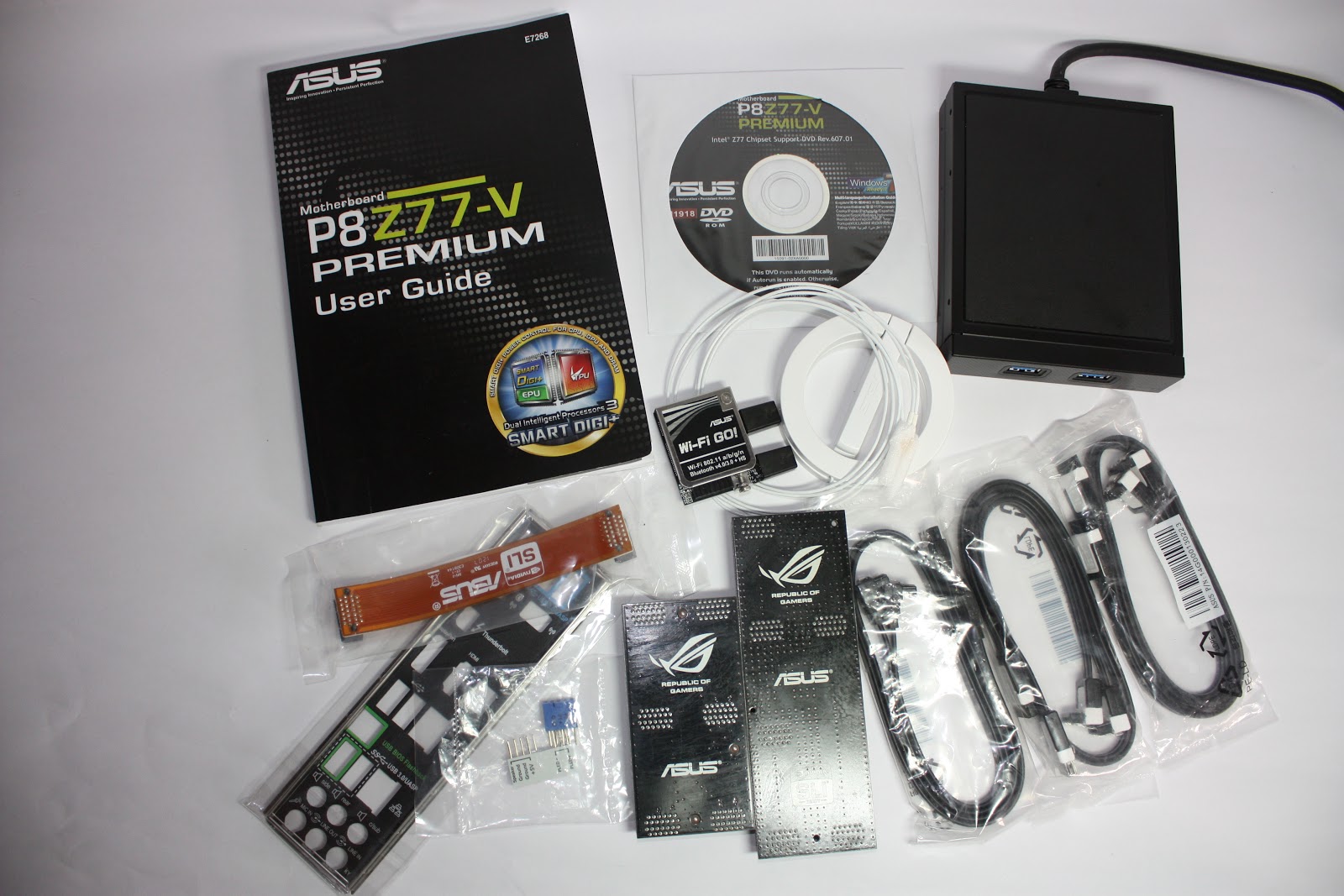
| Accessories | User's manual |
| ASUS Q-Shield | |
| 2 x SATA 3Gb/s cable(s) | |
| 4 x SATA 6Gb/s cable(s) | |
| 1 x 3-Way SLI bridge(s) | |
| 1 x 4-Way SLI bridge(s) | |
| 1 x SLI bridge(s) | |
| 1 x Q-connector(s) (2 in 1) | |
| 1 x ASUS Front Panel USB 3.0 Box(es) | |
| 1 x ASUS Wi-Fi GO! card(s) | |
| 2 x Wi-Fi Ring Moving Antenna(s) | |
| BIOS | 64 Mb Flash ROM, UEFI AMI BIOS, PnP, DMI2.0, WfM2.0, SM BIOS 2.5, ACPI 2.0a, Multi-language BIOS, |
| ASUS EZ Flash 2, ASUS CrashFree BIOS 3, F12 PrintScreen, F3 Shortcut Function and ASUS DRAM SPD (Serial Presence Detect) memory information | |
| Manageability | WfM 2.0, DMI 2.0, WOL by PME, PXE |
| Support Disc | Drivers |
| ASUS Utilities | |
| ASUS Update | |
| Anti-virus software (OEM version) | |
| Form Factor | ATX Form Factor |
| 12 inch x 9.6 inch ( 30.5 cm x 24.4 cm ) | |
| Note | *1: LucidLogix Virtu MVP supports Windows 7 operating systems. |
| *2: PCIe 3.0 speed is supported by Intel® 3rd generation Core™ processors. | |
| *3: Supports on Intel® Core™ processor family with Windows 7 operating systems. | |
| *4: These SATA ports are for data hard drivers only. ATAPI devices are not supported. | |
| *5: The USB 3.0 ports run at USB 3.0 speed rate under Windows® 7 or later versions. | |
| *6: Available with V1.01.00 or later. |
 |
| Accessories |
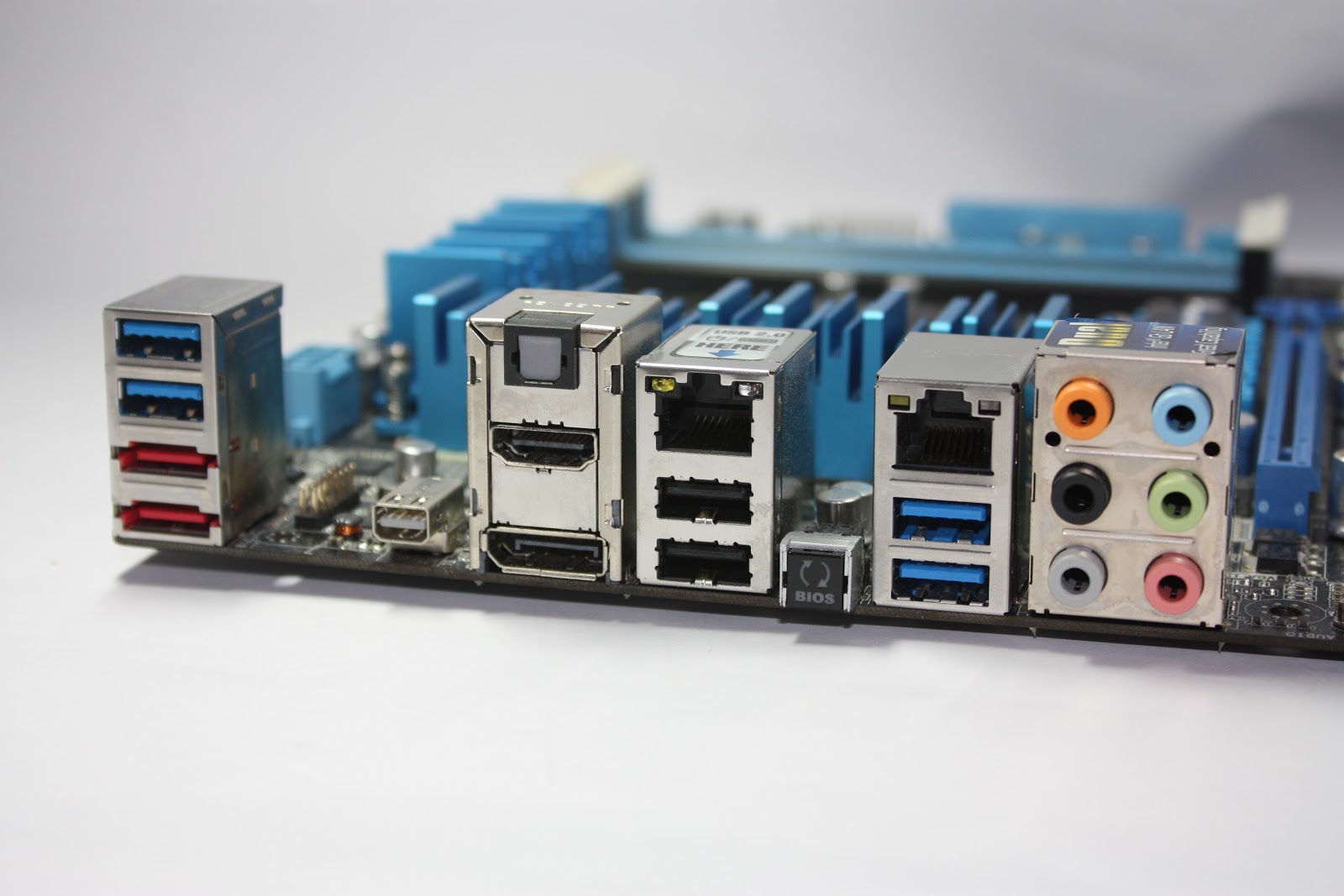 |
| Back Panel IO ports |
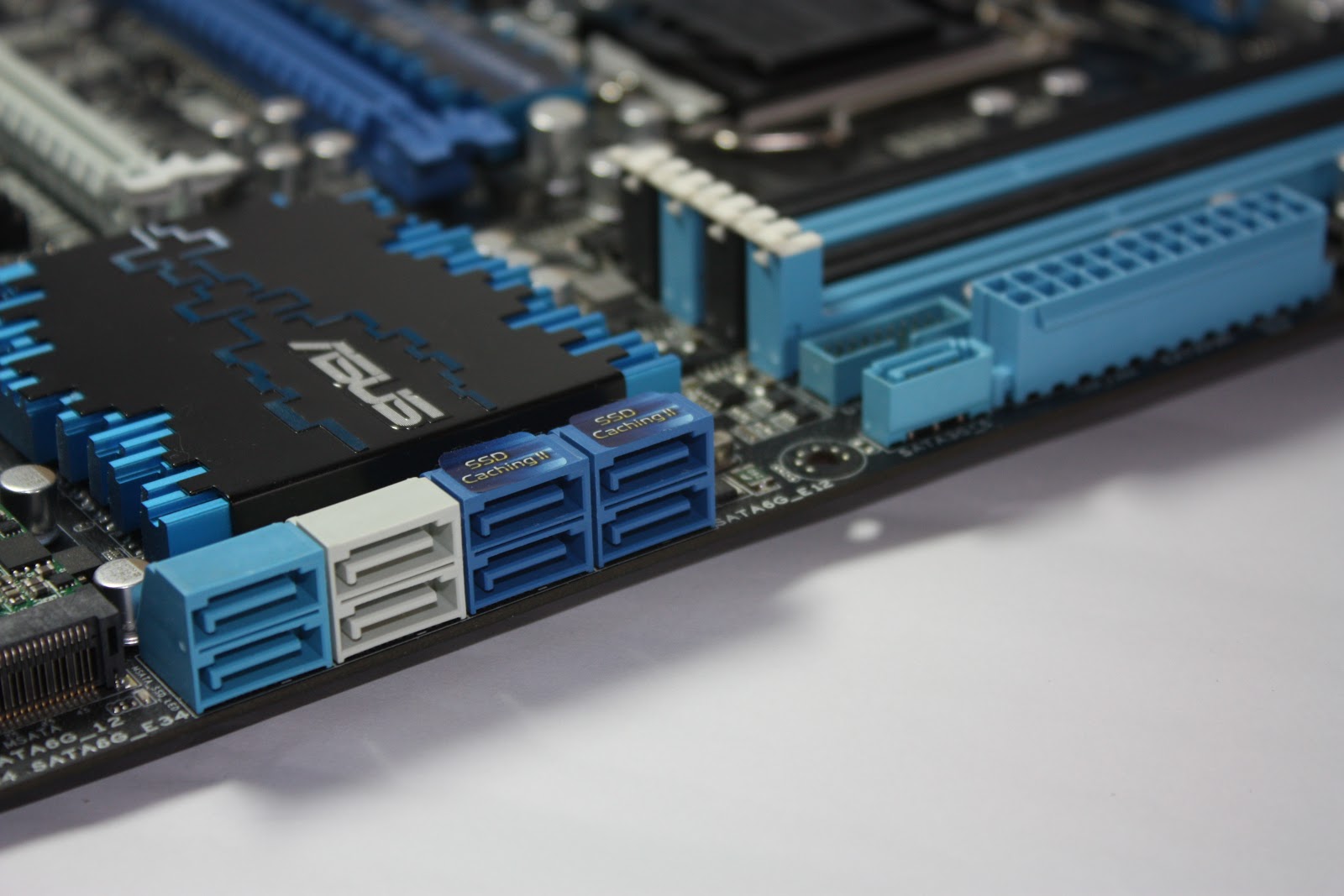 |
| SATA Ports IO |
Storage is one of the most important aspects of a motherboard, especially if you're building a file server. Luckily, the P8Z77-Premium has got an access number of SATA ports onboard, allowing you to connect up to 9 hard drives. However, 3 of these ports (light blue) are of of slower 3Gbps interface. It could be insufficient if you are connecting SSDs to these ports, but any hard drives on the market have yet to max out 3Gbps speeds and will work well on them. The Navy blue ports runs off a Marvell 9230 controller, which also enables ASUS SSD Caching II which will be covered later.
Core Features
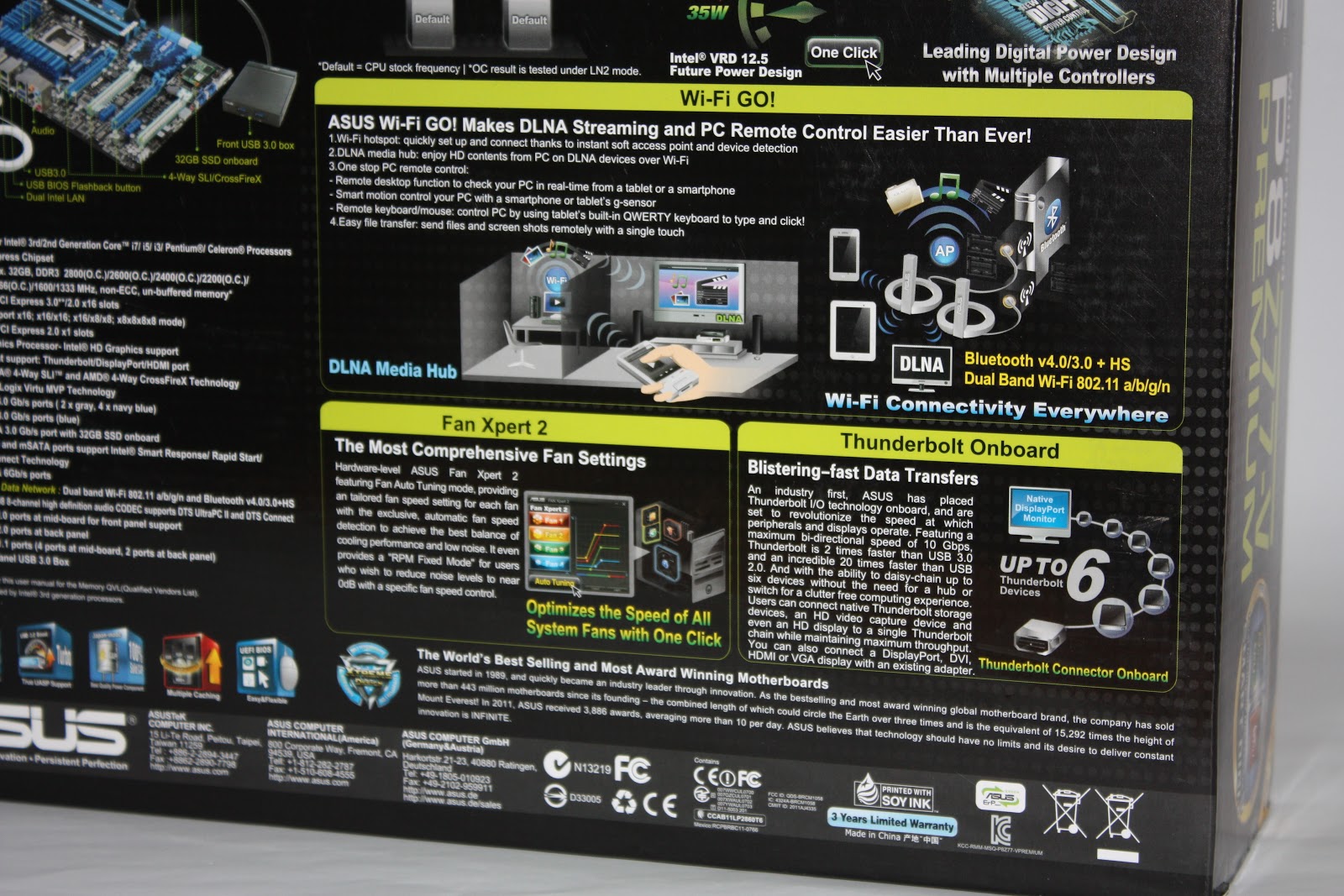
Fan Xpert 2
Fan Xpert2 enables users to easily tune their fan speeds according to their needs. Fan Xpert 2 can also tune the fan speeds automatically if specified by the user. Under different external factors such as CPU temperature and etc, custom fan settings can be defined. Different modes can also be set to the user's preference, whether if it is cooling performance or noise limitation as a priority.
Wi-Fi Go!
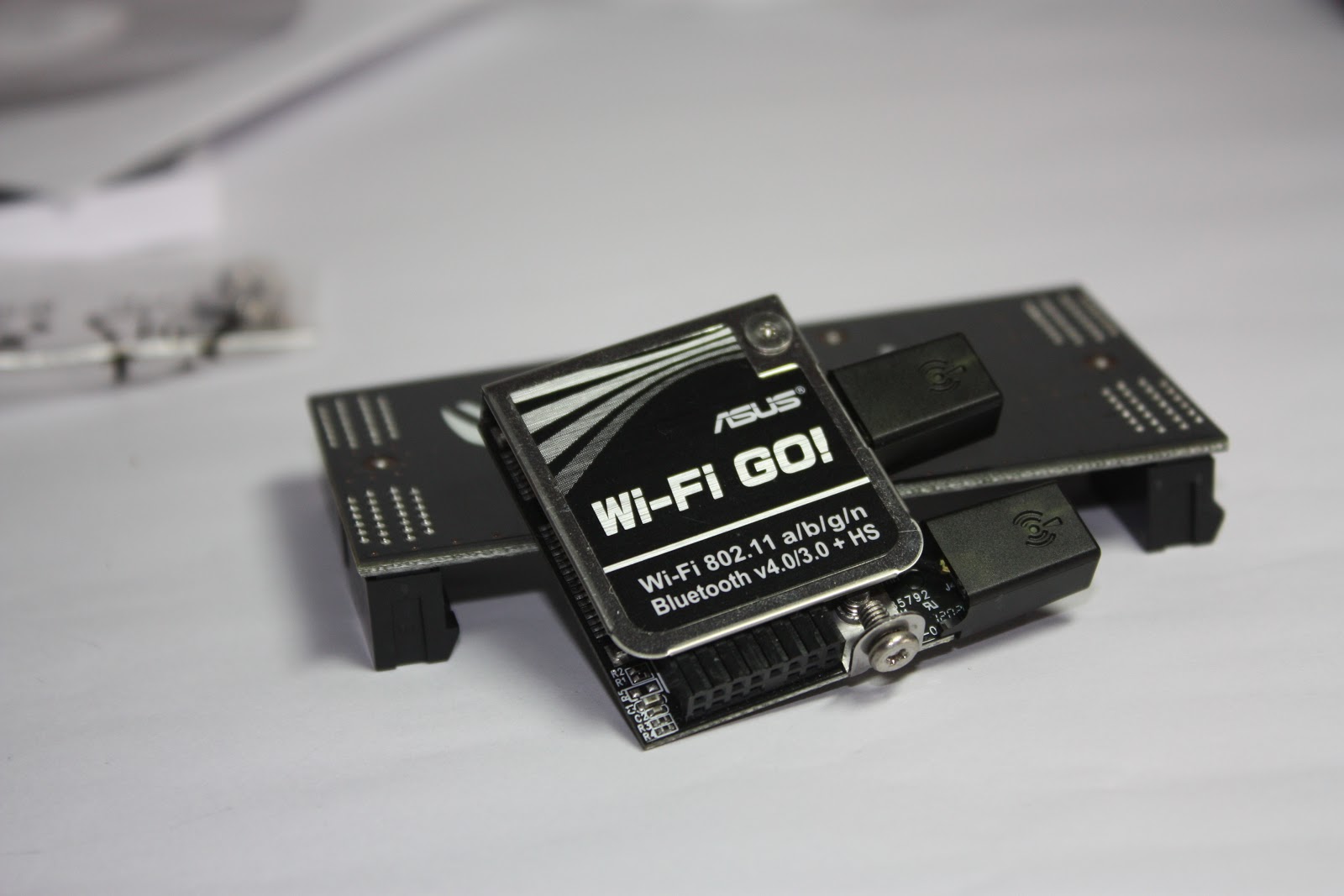 |
| Wi-Fi Go! Module included in the package |
Other than providing Wireless capabilities with an added-on module for the motherboard, ASUS also included a software for the motherboard for even more features. Different systems are finally integrated with Wi-Fi Go! Software. Now, with Wi-Fi Go!, users can control their PC from other devices like their tablet PCs, or they can even play DLNA streams from their media servers, anywhere within the same network! Talk about convenience and versatility. One can freely share content between all networked device seamlessly with Wi-Fi Go! software. Other features like Remote Desktop/ Remote keyboard/ Remote Mouse are also included within the software suite.
Thunderbolt Onboard
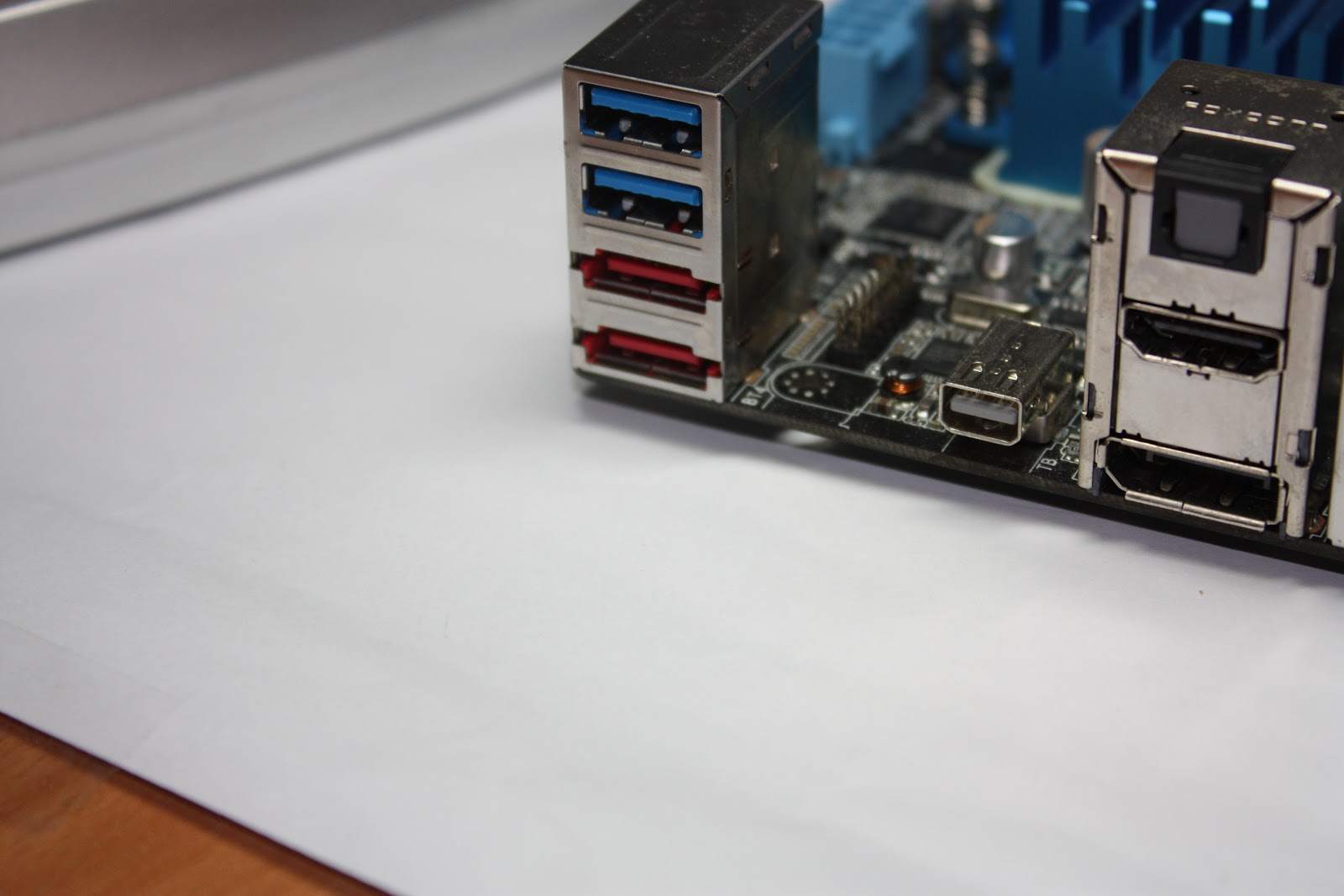
As mentioned, onboard thunderbolt unlocks the motherboard capabilities to its fullest. External Graphics Card enclosure, External SSD enclosure, etc. These are innovations which are already available on the market to show off thunderbolt's full prowess. With the inclusion of thunderbolt on the P8Z77-V Premium motherboard, the possibilities of expansions are limitless.
Dual Intelligent Processors 3 with SMART DIGI+ Power Control
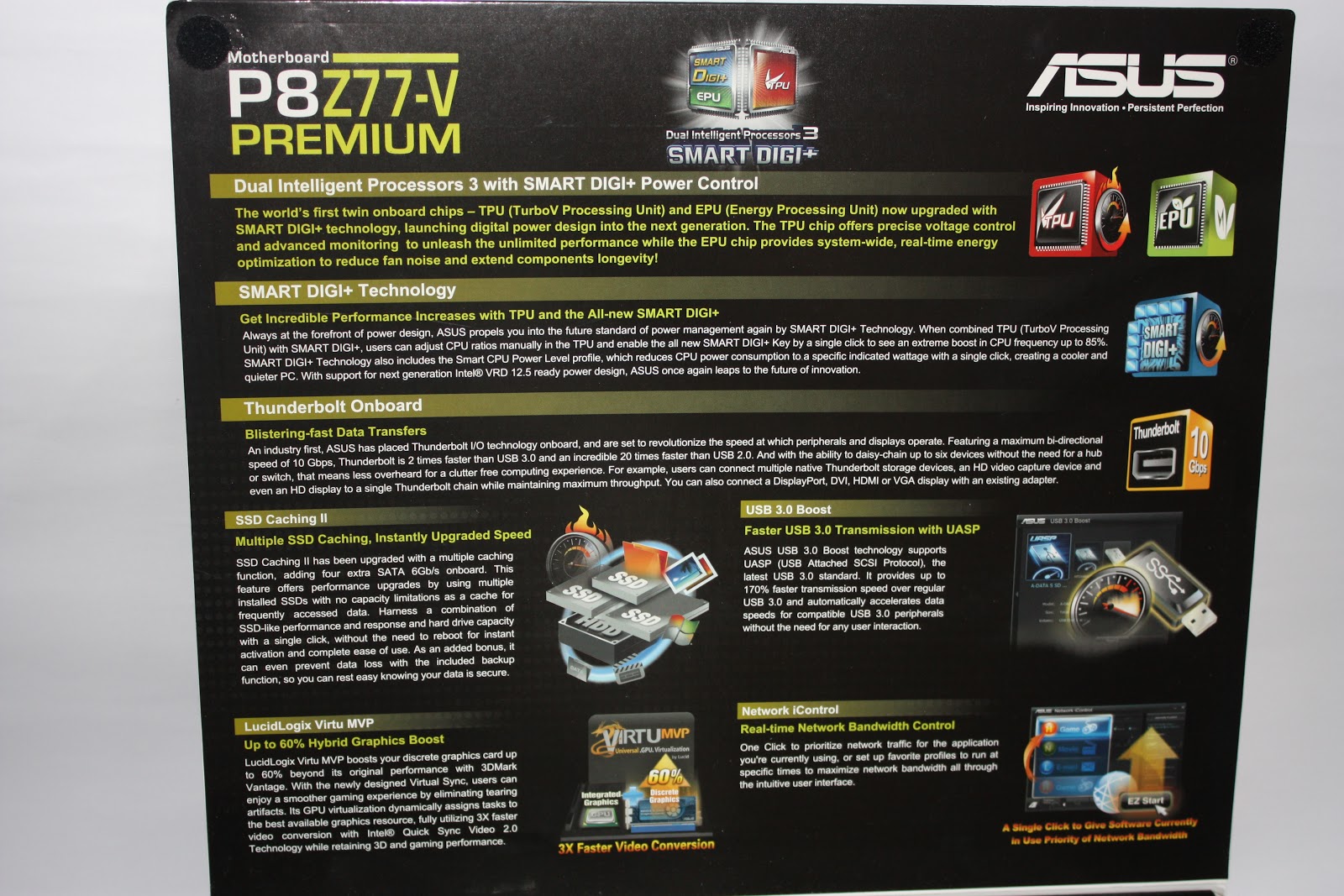
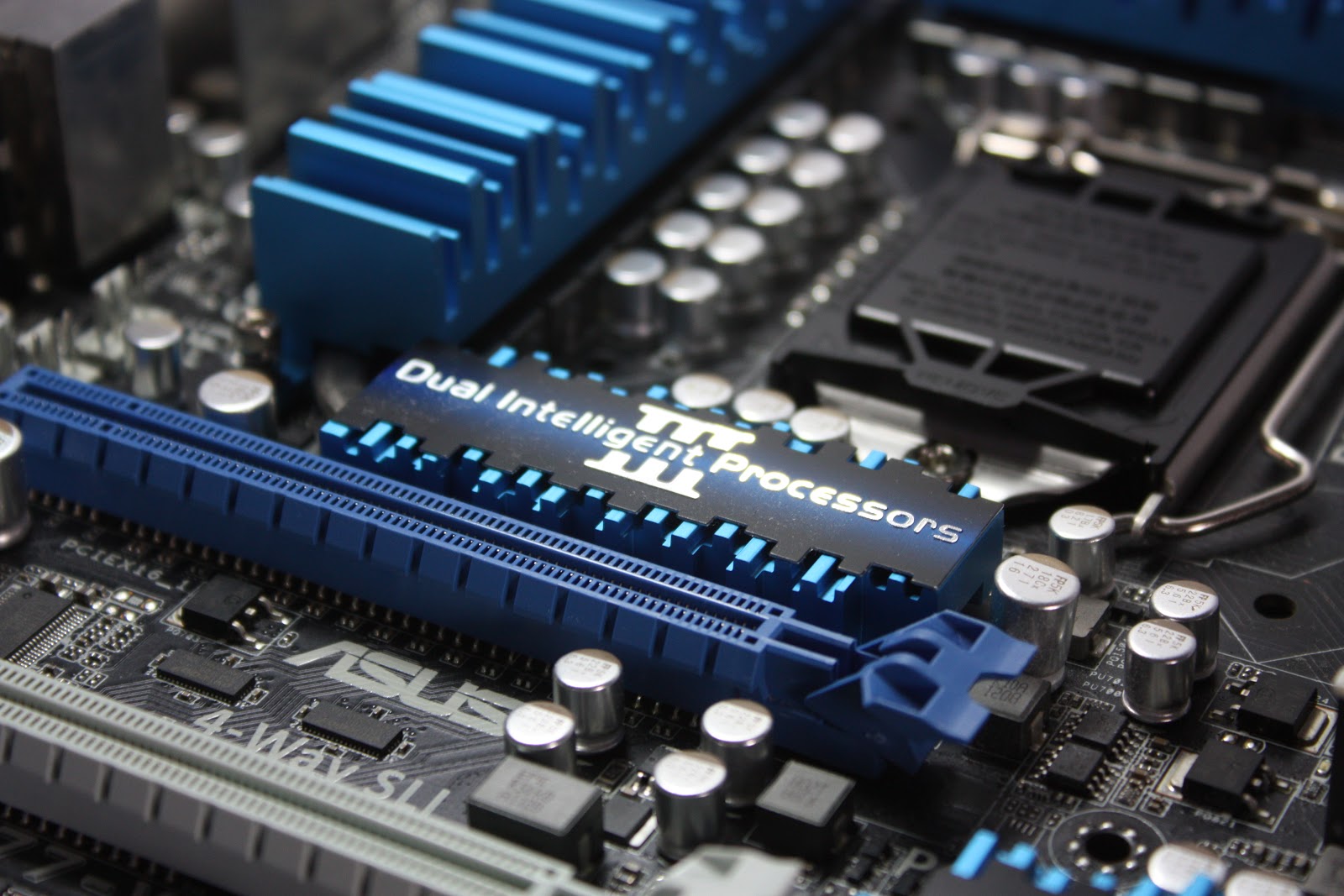
ASUS motherboards are well known for their enhanced digital circuitry. Stable voltages and currents across the board is what makes ASUS motherboards so stable and reliable. These stability features are enabled by 2 onboard hardware processors, namely the EPU(Energy Processing Unit) and TPU(TurboV Processing Unit). Co-operatively these Dual Intelligent Processors aim to optimise the entire PC, balancing power use with performance across the CPU, chipset, memory, graphics cards, hard drives and system fans. Because they are made as hardware not software, all this can happen without requiring user interaction and without the expense of CPU cycles, system resources and with any OS or virtualised environment. What it means to you? Higher overclocks / stable and reliable system / energy efficient system.
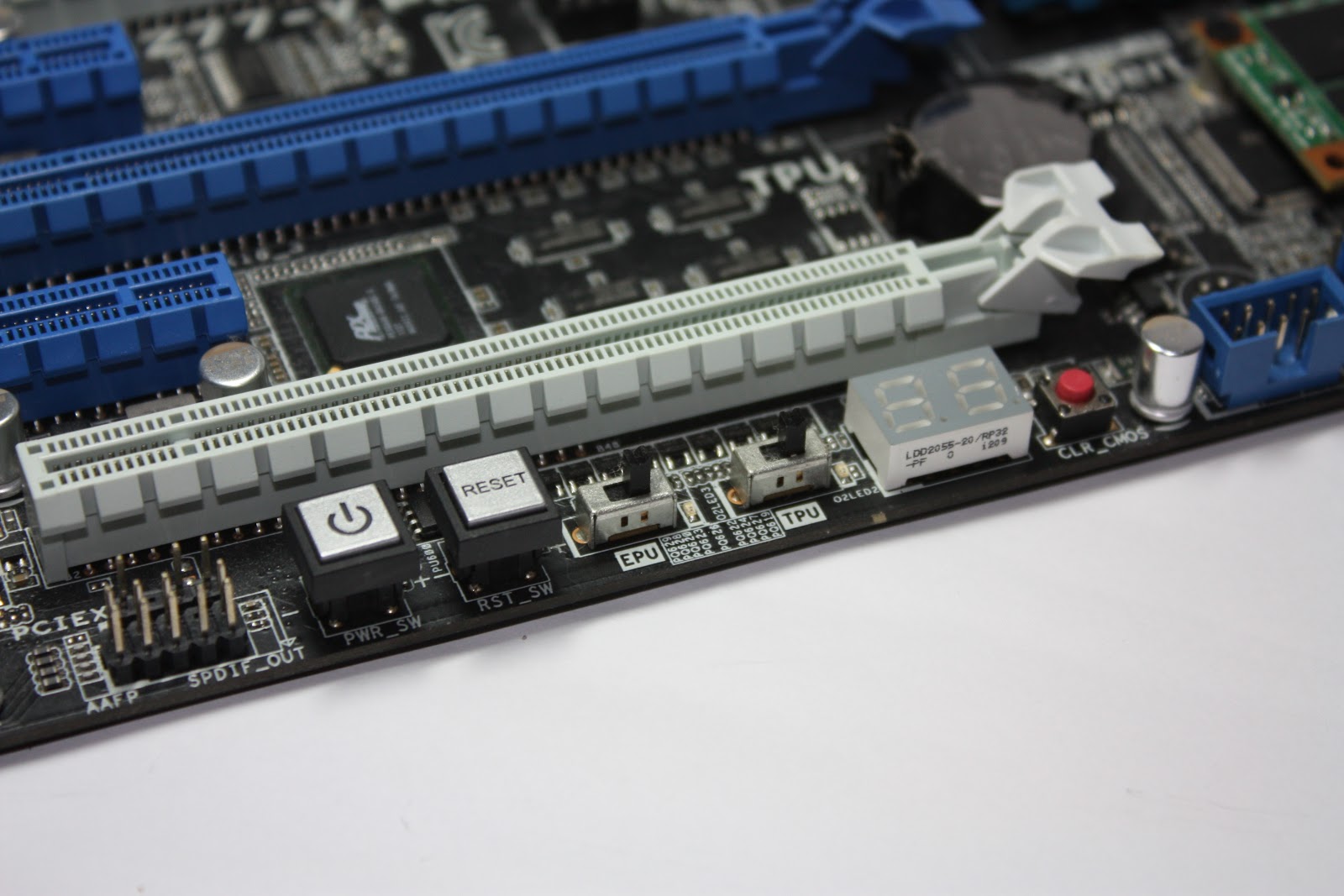 |
| TPU and EPU Switches found onboard |
SSD Caching II
4 navy blue ports provided by Marvell 9230 controller enables ASUS SSD Caching. System building can mix and match their storage setup for performance with these 4 ports. Because of the flexibility of the software, you can have any number of hard drives or any number of SSDs on these 4 ports, and ASUS SSD Caching will optimize the performance of IO through the SATA interfaces automatically, without much setting up. For example, you can have a single hard drive and a SSD for a simple caching, or 2 hard drives and a SSD which caches both drives. Any configurations is possible. Of course, caching only takes place if you have one or more SSD.
USB 3.0 Boost
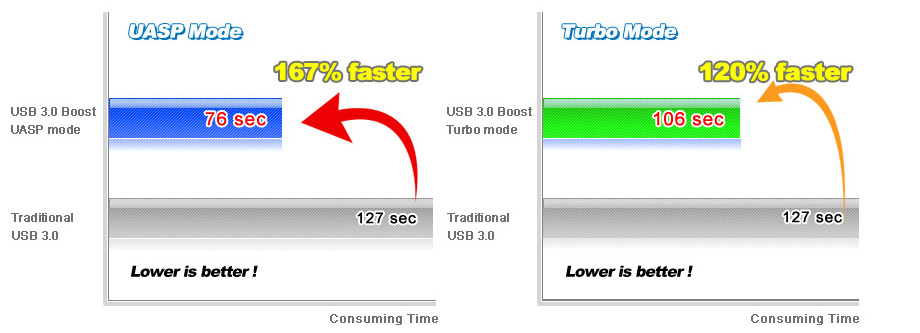
To put it simply, USB 3.0 Boost increases the transfer speeds of data tremendously. Transfers comes in 3 different modes, each differing protocols to have different performance effects.
UASP Mode: dedicated to new UASP devices for max performance with the latest specifications.
Turbo Mode: accelerates USB BOT devices, increasing their transfer speeds.Normal Mode: guarantees complete compatibility with all USB devices.
Onboard 32GB SSD
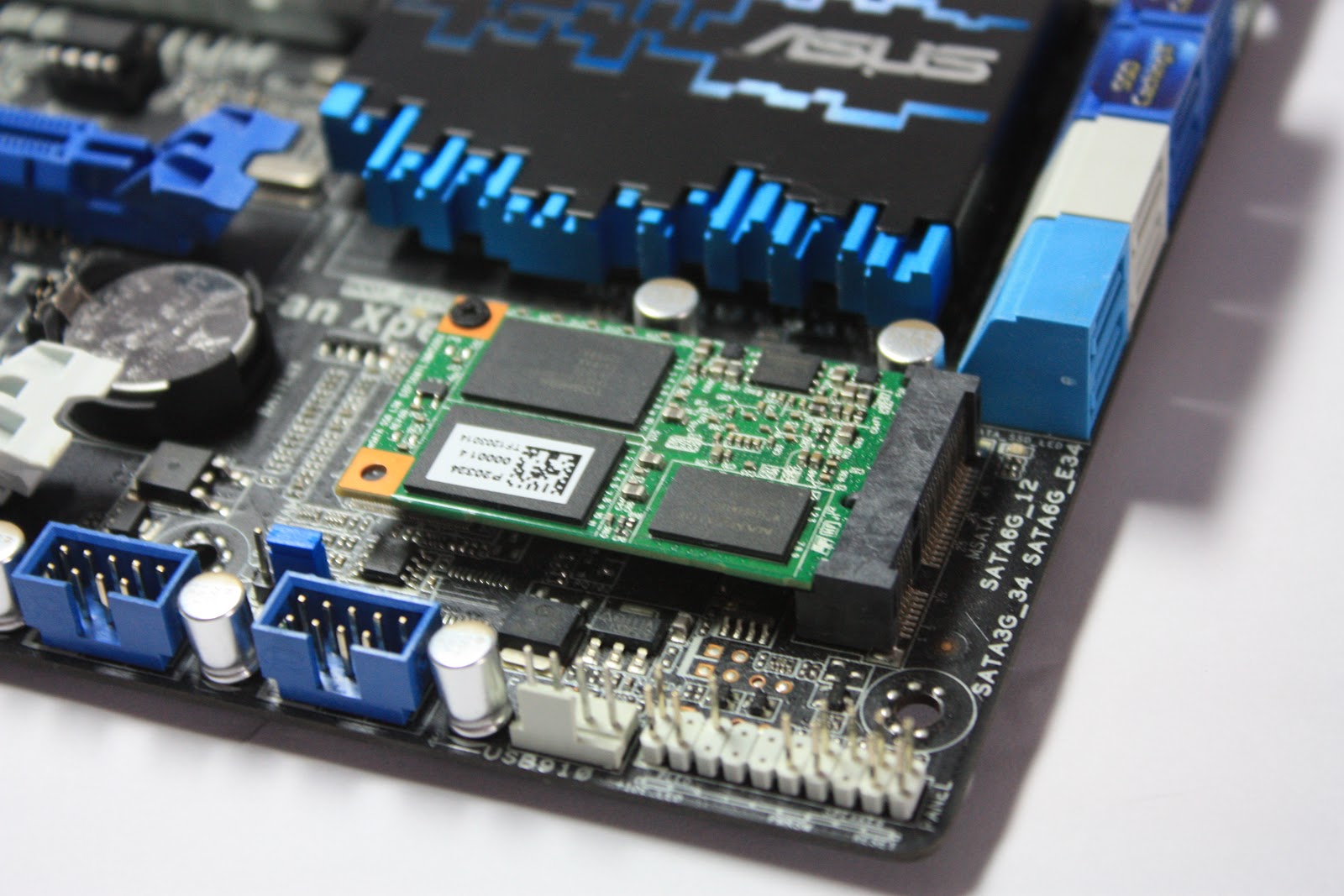
An onboard 32GB m-SATA SSD is found onboard. Connected via Z77's SATA 3Gbps interface, this also means that Intel Rapid Storage Technology (IRST) features are also enabled. System builders can choose cache their system with this 32GB SSD with IRST, significantly increasing the performance of their PC.
The SSD found onboard is a Liteon LMT-32L3M, based on a Marvell 88SS9174 controller. Benchmarks of the SSD will be found at the Benchmark section.
Design and Aesthetics
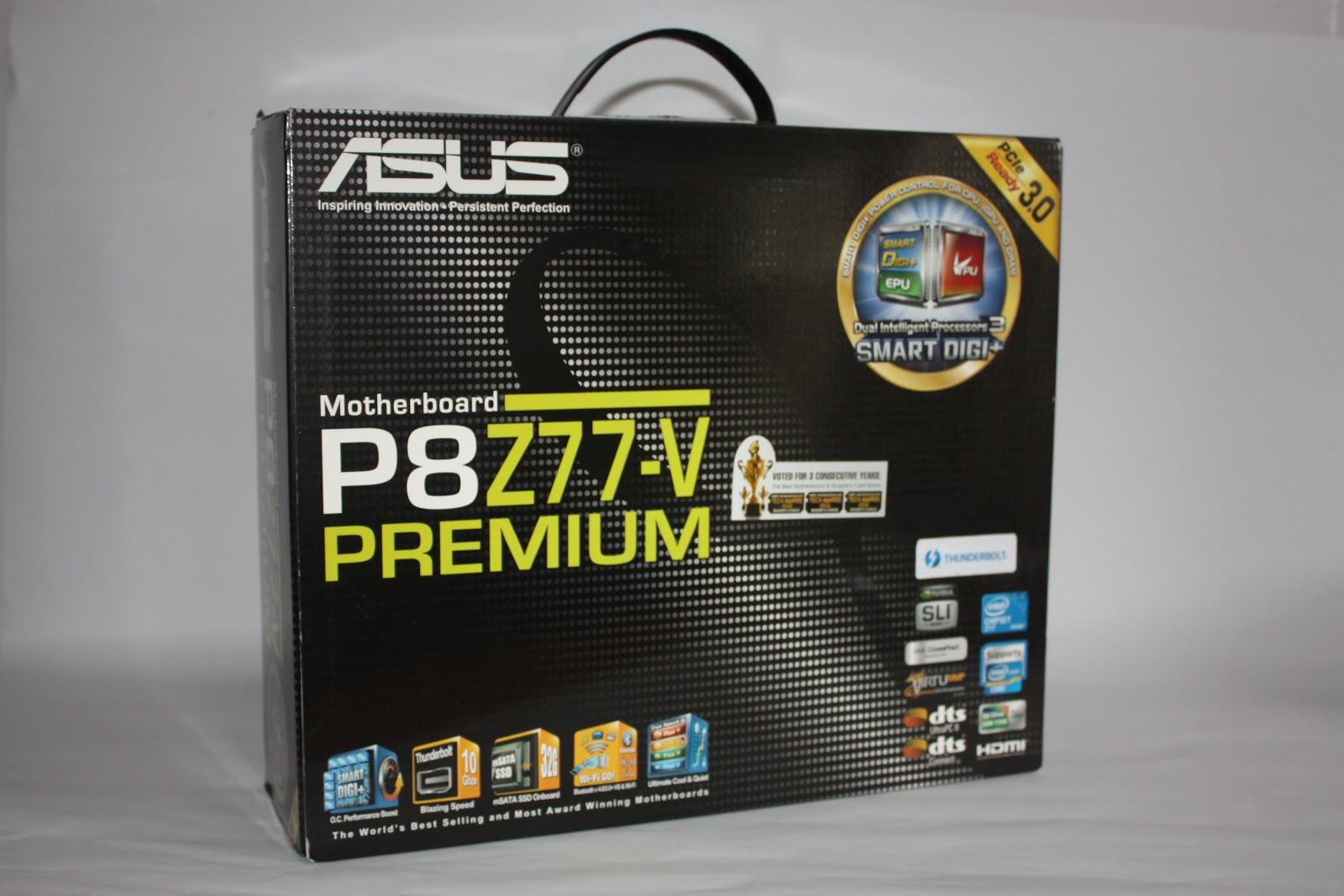 |
| First Looks : Box |
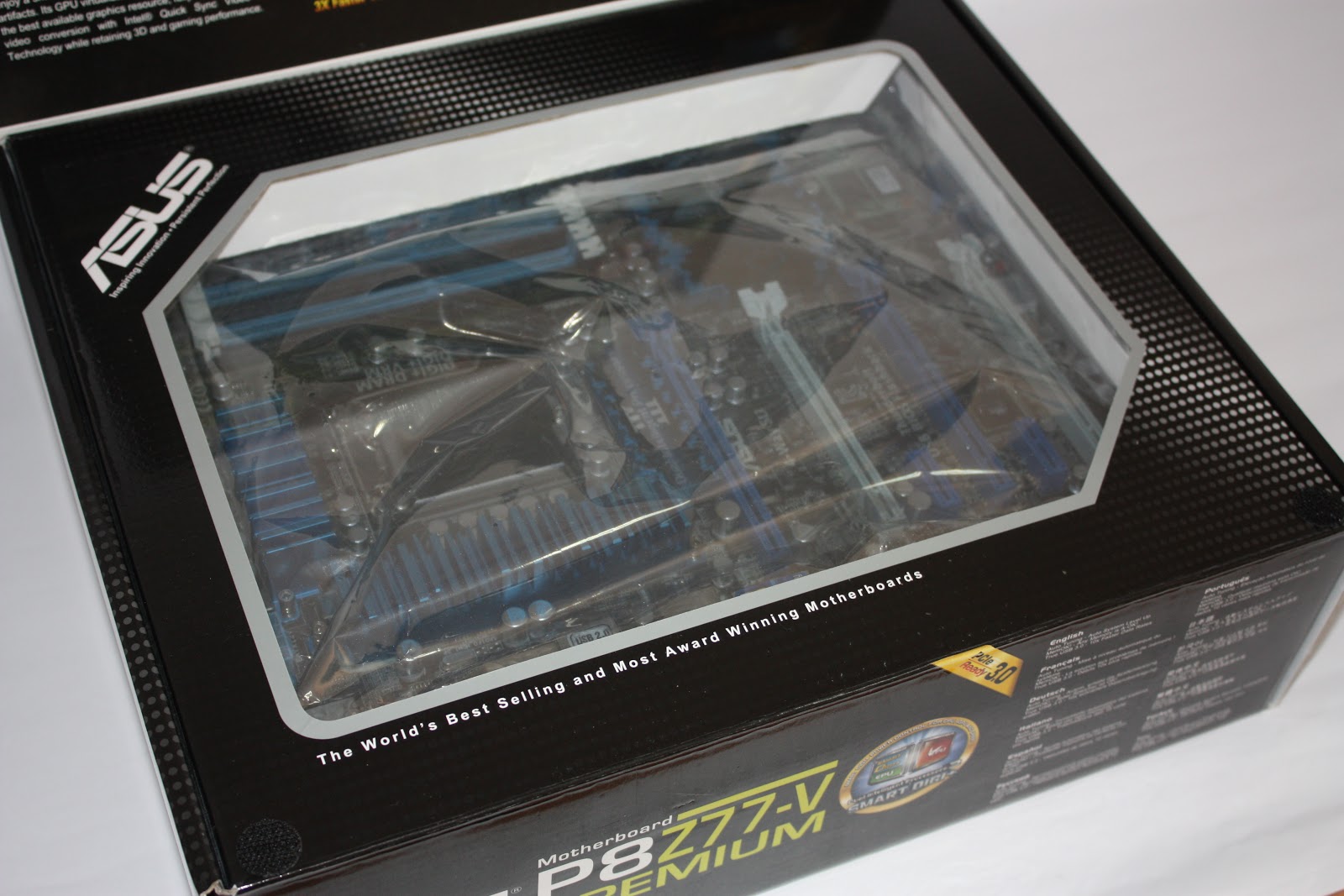 |
| Box's flap opens up, revealing motherboard within |
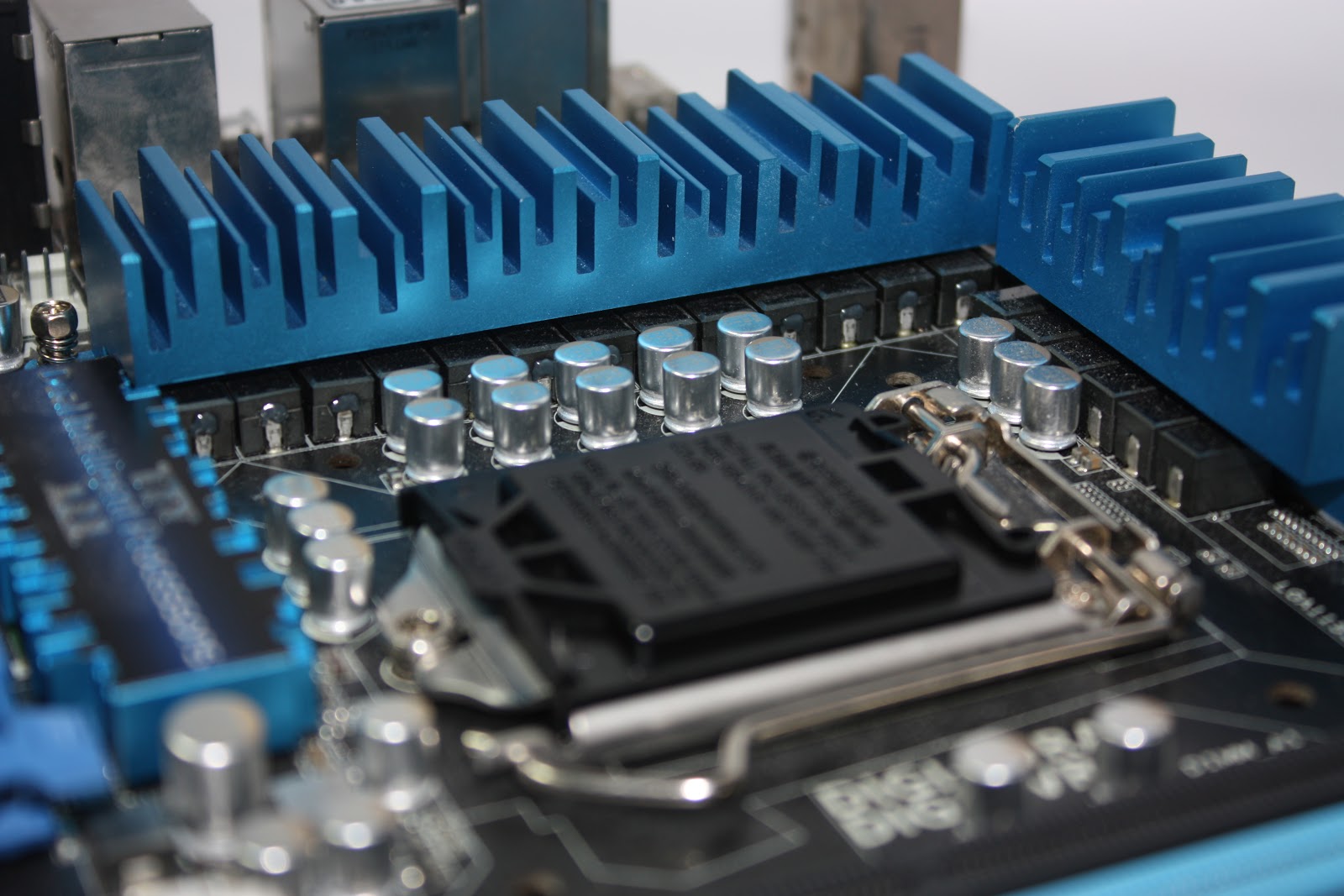 |
| 20 phase power design (16 for CPU, 4 for iGPU) |
 |
| PCI-E Slots (dual x16 or x16, x8, x8 or quad x8) |
 |
| ASUS Q-Slot ensures easy removal of PCI-E cards |
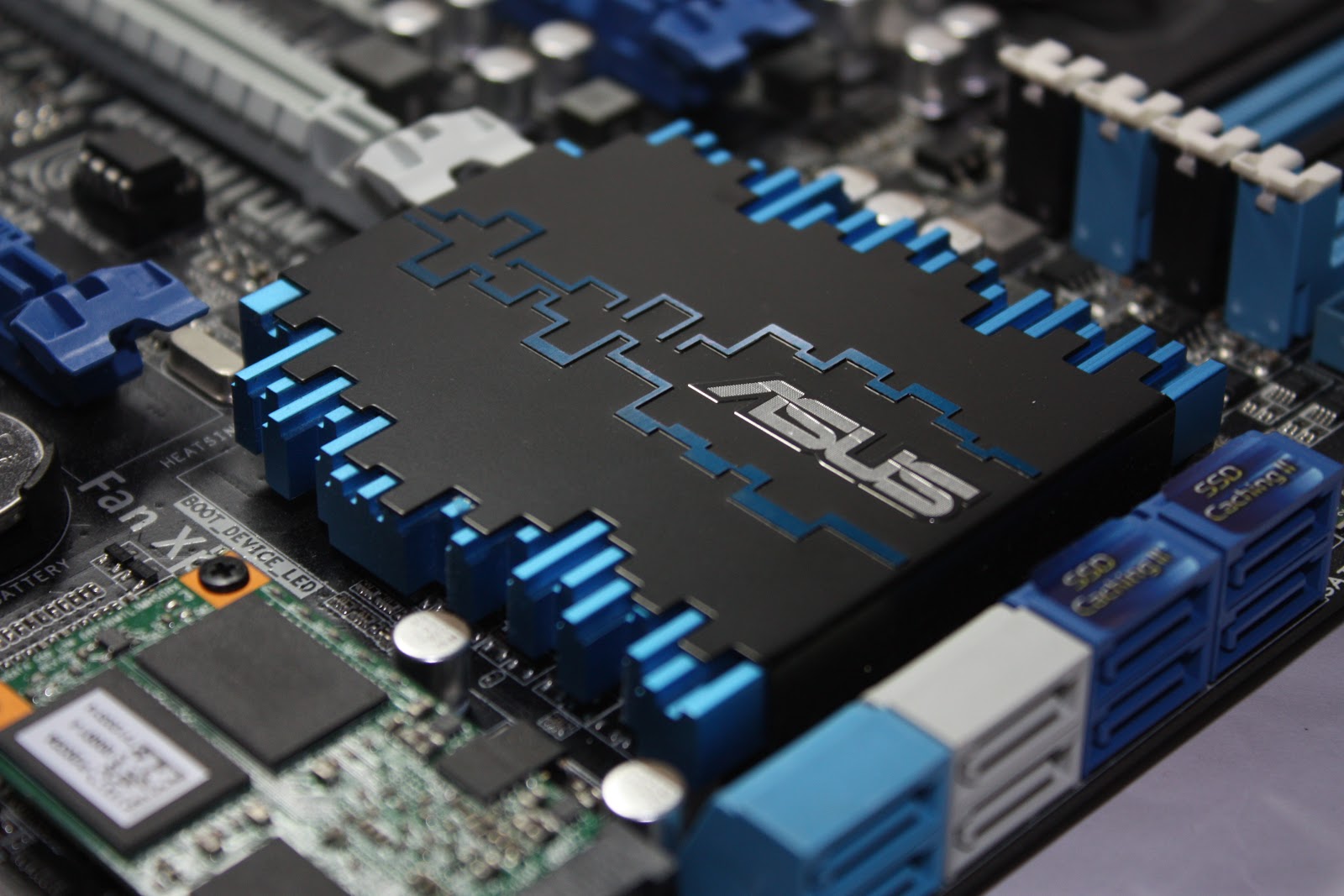 |
| SouthBridge heat sink |
Setup, Benchmarks and Overclocking
Setup Configurations
 |
| Benchmark Configuration |
Upon venturing into UEFI BIOS Settings and setting voltages and clocks, I decided to allow the motherboard to set itself to its optimal mode by setting "AI-Tuner" to auto. With this settings, the system automatically overclocks itself to 4.2GHz, essentially a 20% increase in clocks! These settings are proved to be 100% stable. There were no crashes or any sort of blue screen during benchmarking, again proving the P8Z77-V Premium to one hell of a performance motherboard.
ASUS P8Z77-V Premium Motherboard
Intel Core i7 3770K@ 4.2GHz
F3-12800CL7D-4GBECO (2Gx2) RAM
Intel Core i7 3770K@ 4.2GHz
F3-12800CL7D-4GBECO (2Gx2) RAM
Corsair HX620 PSU
ECS nVidia 9800GT
DeepCool CPU Cooler
Fujitsu MHZ2160BH HDD
Windows 8 Pro 64bit
ECS nVidia 9800GT
DeepCool CPU Cooler
Fujitsu MHZ2160BH HDD
Windows 8 Pro 64bit
SSD Benchmark
 |
| SSD Read Speeds |
With the same controller as a Crucial C300, the Liteon SSD performed similarly to it. Taking it as a caching SSD, it's pretty decent, and probably just nice for it's SATA 3Gbps interface. On AIDA64 Read Test Suite, it sustained above 250MB/s soeeds. Although not as fast as current days OCZ Vector or Samsung 840 Pro, it's the best bet on a SATA 3Gbps before bottlenecks take place.
 |
| AIDA64 |
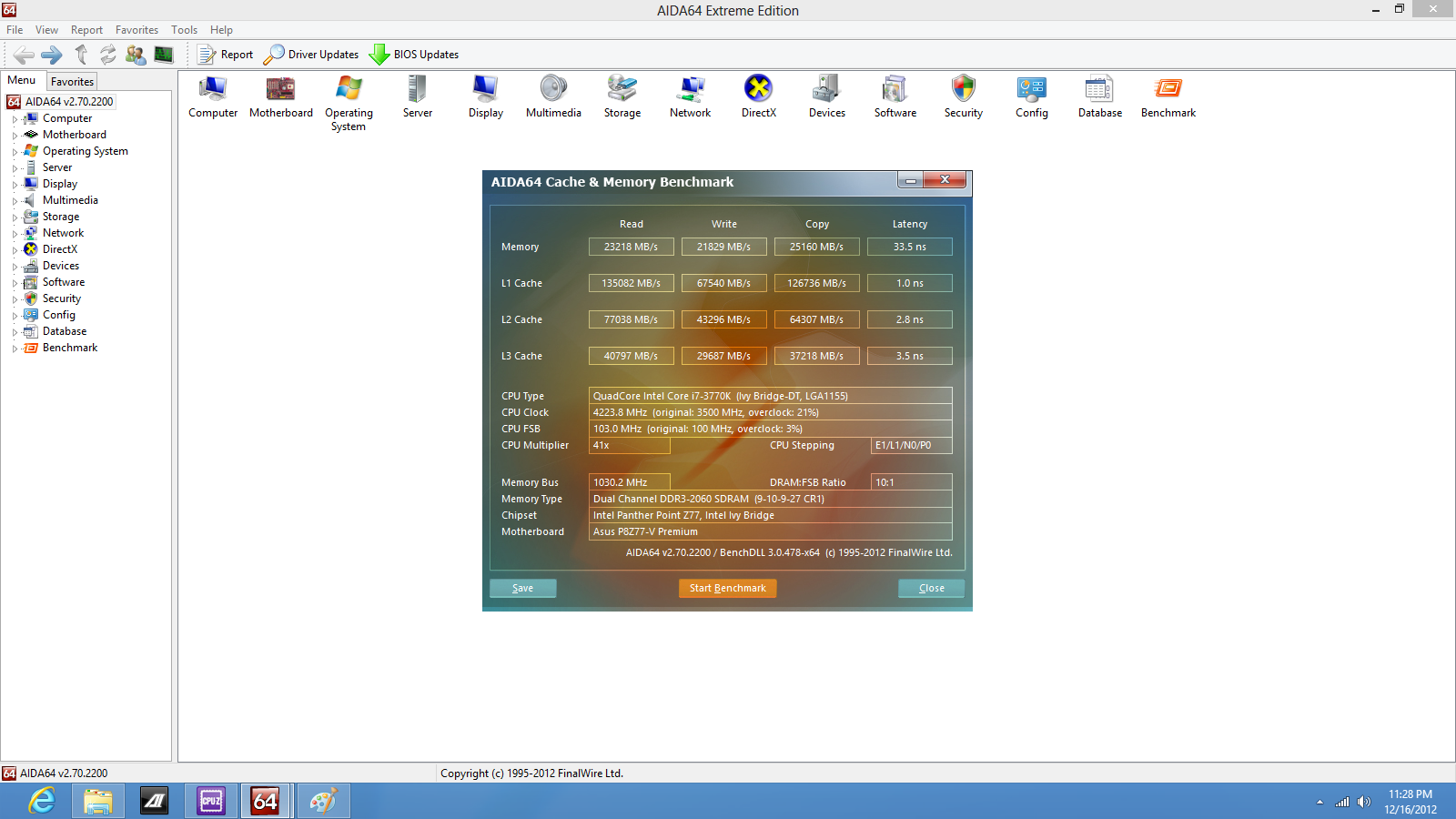
For a stock performance before any tweaking, AIDA64 memory benchmark gave somehow unsatisfying results. Memory read was at 17799MB/s , write was at 20368MB/s and copy was at 19198MB/s with latency at 41.7ns. However, taking this as a baseline for further memory tweaking and overclocking, huge performance gains were noticed.
 |
| SuperPi32M before OC @ 8min 06.612s |
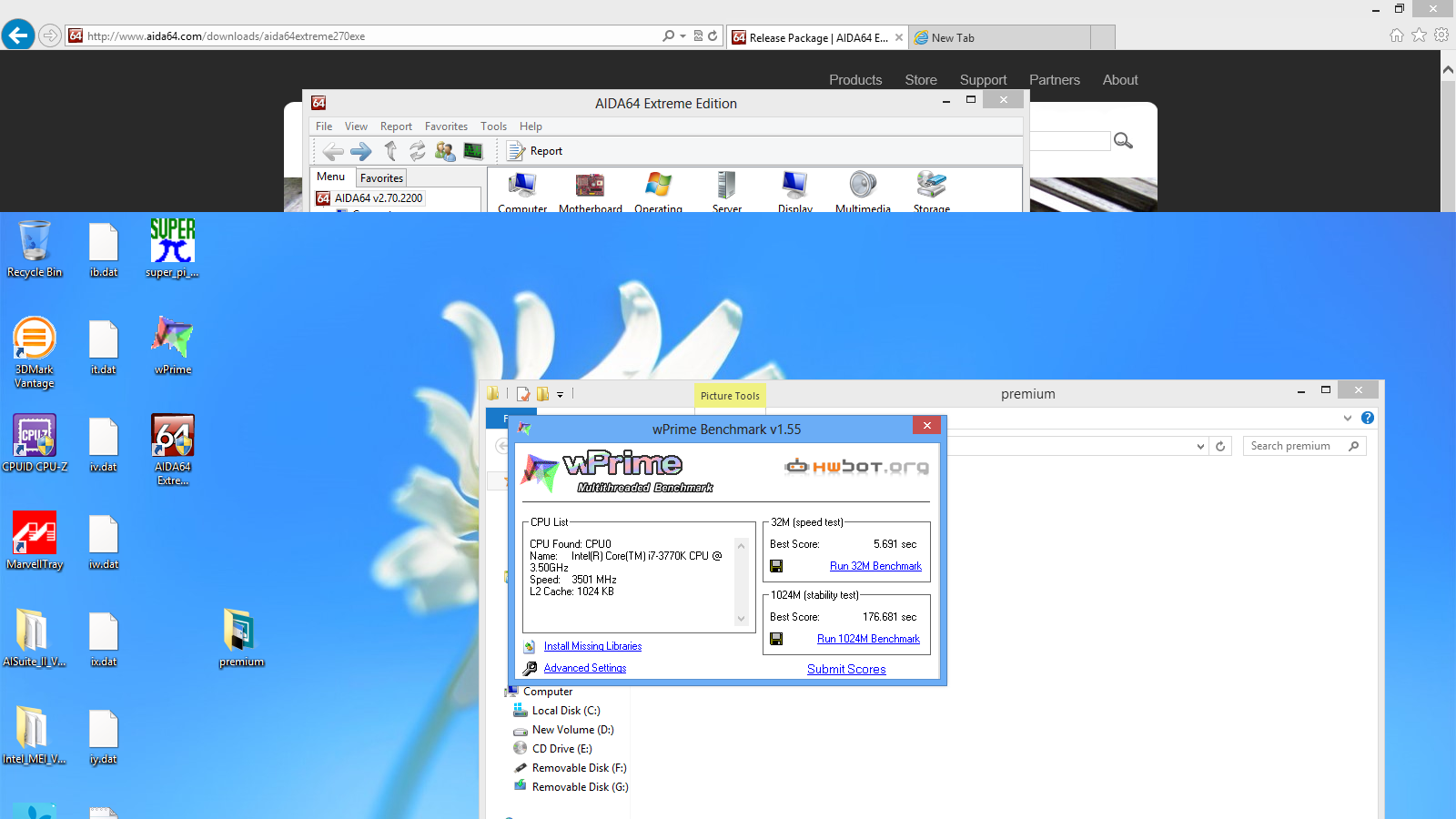 |
| wPrime 32M before OC @5.691s, 1024M at 176.681s |
Overclocking
To show the extreme performance gains and stability with overclocking on this motherboard, the results before and later were taken and then compared in percentage gain. |
| SuperPi32M at 4.6GHz @ 7min 28.979s |
 |
| GSkill Eco 2060MHz, 9-10-9-27 |
Tweaking RAM on P8Z77-V Premium has never been this easy. I easily set the frequencies on the GSkill Eco to 2060MHz, and increased the timings to ensure stability. I was able to run AIDA64 again and results were astonishing. On average, there was an average 23% increase in memory performance.
Extreme Overclocking

With a little bit of Dry Ice, the highest clock on the i7 3770k with P8Z77-V Premium motherboard was a decent 6GHz, breaking my personal record for CPU Frequency.

To run benchmark at a stable speed, I downclocked the processor to run SuperPi and wPrime.


For wPrime to have a high score, all threads on the i7 3770k has to be stable. I was only able to successfully complete wPrime at 5.4GHz, accomplishing 5.091s for 32M and 159.839s 1024M runs. Without any overclocking, the speeds were 5.691s and 176.681s respectively.

On the other hand, SuperPi, being a single threaded application, is more stable at higher frequencies because it only makes use of 1 thread for processing. Score? 6min 12.034s, more than 1 minute lesser than a previous air overclocked run at 4.6GHz. This setup was ran at 5.8GHz.
Conclusion
In conclusion, the ASUS P8Z77-V Premium motherboard could be the dream of a system builder. It meets all the requirements of an average system builder. Being Windows 8 certified, also means that no additional drivers are required for the system to work, making system builder's work so much easier. P8Z77-V Premium is a board that will work out of the box once installed with Windows 8.
P8Z77-V Premium is also a feature packed motherboard. Rarely on mainstream series(Non-ROG) motherboards we can see built in Wireless Network cards which is found on the P8Z77-V Premium. Besides that, all the goodness of USB3.0 is also built in at both front and back panels. Most importantly, there is thunderbolt interface which could be a huge deciding factor for consumer purchase decision making.
P8Z77-V Premium lives up to ASUS's stability and reliability reputation. I had a smooth overclocking experience on this motherboard and the 6GHz personal record was only possible with the use of ASUS's AISUITE software which allows CPU tweaking on the fly in the OS. I have always no issues overclocking on any ASUS motherboard and am even more assured with its beefy 20phase power phase that brings overclocking to the next level. Not forgetting the Dual-Intelligence Processors which made all these possible.
However, the only downside of this premium motherboard is that it also comes in a premium price. The P8Z77-V Premium costs a crazy 689SGD which will probably deter most from getting their hands on this board. In fact, it costs more than any of ASUS's top of the line ROG series motherboard. However, if thunderbolt interface is what you really need, the P8Z77-V Premium could be a good "investment".
P8Z77-V Premium is also a feature packed motherboard. Rarely on mainstream series(Non-ROG) motherboards we can see built in Wireless Network cards which is found on the P8Z77-V Premium. Besides that, all the goodness of USB3.0 is also built in at both front and back panels. Most importantly, there is thunderbolt interface which could be a huge deciding factor for consumer purchase decision making.
P8Z77-V Premium lives up to ASUS's stability and reliability reputation. I had a smooth overclocking experience on this motherboard and the 6GHz personal record was only possible with the use of ASUS's AISUITE software which allows CPU tweaking on the fly in the OS. I have always no issues overclocking on any ASUS motherboard and am even more assured with its beefy 20phase power phase that brings overclocking to the next level. Not forgetting the Dual-Intelligence Processors which made all these possible.
However, the only downside of this premium motherboard is that it also comes in a premium price. The P8Z77-V Premium costs a crazy 689SGD which will probably deter most from getting their hands on this board. In fact, it costs more than any of ASUS's top of the line ROG series motherboard. However, if thunderbolt interface is what you really need, the P8Z77-V Premium could be a good "investment".


