
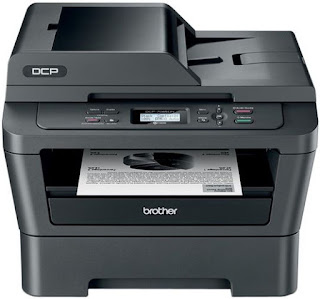
Getting annoyed by the "Toner Low" message on my Brother DCP-7060D mono laser printer, I decided to search online for a solution to remove the message and reset the settings on the printer. This hack/trick worked great, and I thought that it was probably worth sharing.
You will have to complete the following sequence fairly quickly so that it will not jump back to the main printer screen display.
I remember the sequence by continuously saying these words : "Clear,Start,Down,Up,OK". It should be very straightforward, as I managed to get my printer resetted in just one try. It really works!
For the LATEST tech updates,
FOLLOW us on our Twitter
LIKE us on our FaceBook
SUBSCRIBE to us on our YouTube Channel!

You will have to complete the following sequence fairly quickly so that it will not jump back to the main printer screen display.
- Open the front toner door to the printer.
- Press the "Clear" button.
- Press the "Start" button. ( Your screen should show nothing now)
- Press the "Down Arrow" button. (Screen shows 'E0')
- Press the "Up Arrow" button.(Screen shows '00')
- Press the "OK" button. ( It will say "ACCEPTED")
- Close the front toner door.
I remember the sequence by continuously saying these words : "Clear,Start,Down,Up,OK". It should be very straightforward, as I managed to get my printer resetted in just one try. It really works!
For the LATEST tech updates,
FOLLOW us on our Twitter
LIKE us on our FaceBook
SUBSCRIBE to us on our YouTube Channel!


