

Introduction
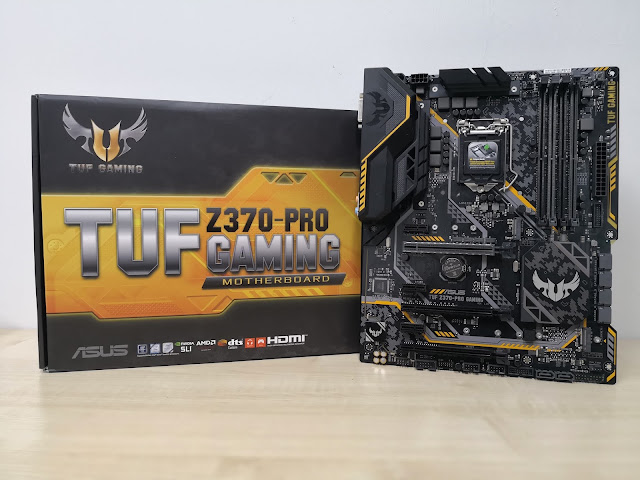
As competition heats up in the CPU space with AMD's new Ryzen processors, Intel has decided to fight back with their latest Coffee Lake based processors. Since the launch of their first generation Lynnsfield Intel Core processors, the Core i7 and Core i5 models have always stuck with four cores. Until recently, Intel had decided to increase the core counts on these processors from 4 to 6. This brings significant raw computation performance improvements and more value to the end-users with the new Coffee Lakes. Is it a good time to upgrade? Probably yes! But which motherboard should you pair your new system with?
We would recommend ASUS's new TUF Z370-PRO GAMING for a decent build. The TUF series motherboard from ASUS belongs to a class of products which promises unparalleled reliability and durability. Riding on the reputation of the TUF branding, ASUS released the new TUF Gaming motherboard series for the new Intel Coffee Lake platform, which brings additional gaming features. How will this motherboard perform? Will it overclock well? We will put the ASUS TUF Z370-PRO to the test, in order for us to adequately answer these questions.
Specifications and Design
|
CPU |
Intel
Socket 1151 8th Generation Core Processors |
|
Chipset |
Intel
Z370 |
|
Memory |
4 x
DIMM, Max 64GB DDR4
Non-ECC, Un-buffered Memory *
Dual Channel
Memory Architecture |
|
Graphic |
Integrated
Graphics Processor- Intel® HD Graphics support
Multi-VGA output
support : HDMI/DVI-D ports
- Supports HDMI
1.4b with max. resolution 4096 x 2160 @ 24 Hz / 2560 x 1600 @ 60 Hz
- Supports DVI-D
with max. resolution 1920 x 1200 @ 60 Hz
Maximum shared
memory of 1024 MB |
|
Multi-GPU Support |
Supports
NVIDIA® 2-Way SLI™ Technology
Supports AMD
2-Way CrossFireX Technology |
|
Expansion Slots
|
2 x
PCIe 3.0/2.0 x16 (x16, x8/x8, x8/x4+x4*, x8+x4+x4/x0**) *
1 x PCIe 3.0/2.0
x16 (max at x2 mode)
3 x PCIe 3.0/2.0
x1
* For 2 SSD on
CPU support, install a Hyper M.2 X16 card (sold separately) into the
PCIeX16_2 slot, enable this card under BIOS settings
** For 3 SSD on
CPU support, install a Hyper M.2 X16 card (sold separately) into the
PCIeX16_1 slot, enable this card under BIOS settings. |
|
Storage |
Intel®
Z370 Chipset :
1 x M.2 Socket 3*2, , with M key, type 2242/2260/2280/22110 storage devices
support (SATA & PCIE 3.0 x 4 mode)
1 x M.2 Socket 3,
with M key, type 2242/2260/2280 storage devices support (PCIE 3.0 x 4 mode)
6 x SATA 6Gb/s
port(s), gray
Support Raid 0,
1, 5, 10
Intel® Optane™
Memory Ready |
|
LAN |
Intel®
I219V, 1 x Gigabit LAN Controller(s)
ASUS Turbo LAN
Utility
TUF LANGuard |
|
Audio |
Realtek®ALC887
8-Channel High Definition Audio CODEC |
|
USB Ports |
ASMedia
® USB 3.1 Gen 2 controller :
2 x USB 3.1 Gen 2
port(s) (2 at back panel, teal blue, Type-A)
Intel® Z370 Chipset :
8 x USB 3.1 Gen 1
port(s) (4 at back panel, , 4 at mid-board)
Intel® Z370 Chipset :
6 x USB 2.0
port(s) (2 at back panel, , 4 at mid-board) |
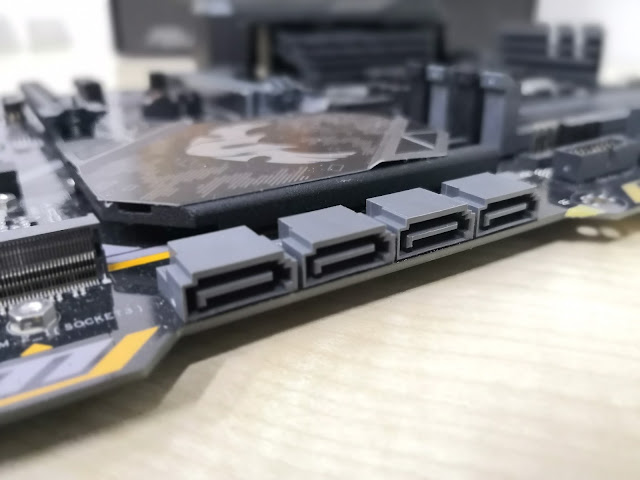
One of the most notable design feature of the ASUS TUF Z370-PRO GAMING motherboard is definitely the SATA ports. The designers have put heavy thought into this, after getting feedback from end-users. The indentation of the SATA ports with a cut-out of the motherboard makes the ports a lot easier to access, especially when there is are situations where there is need to remove the whole motherboard just to add in a single SATA cable. Moreover, it makes cable management a lot neater as well!
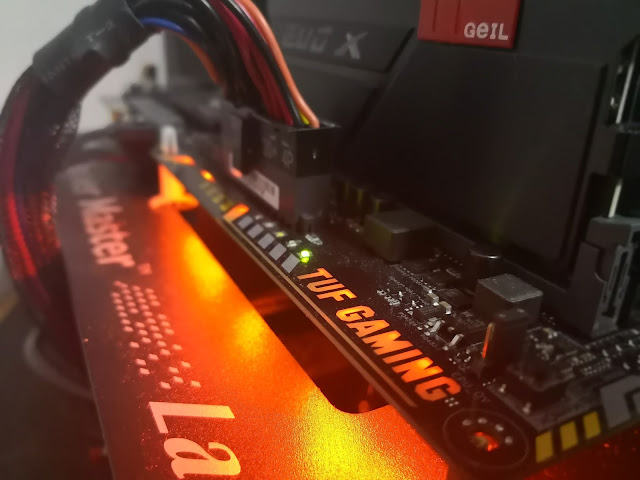
The ASUS TUF Z370-PRO Gaming also has a cool LED strip on the board which lights us the TUF GAMING logo. This will look great if you have a windowed desktop case!
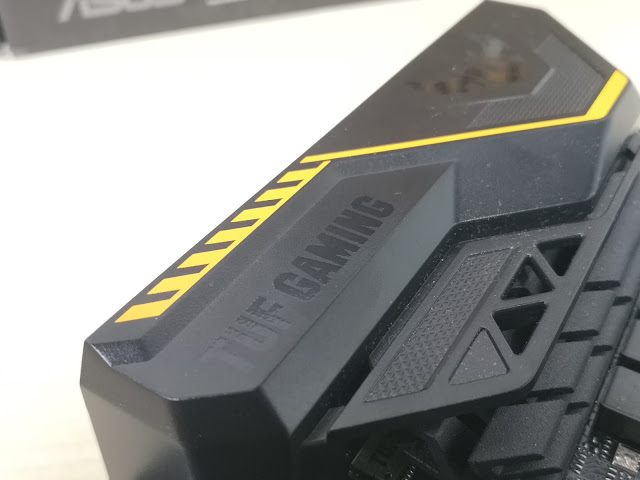
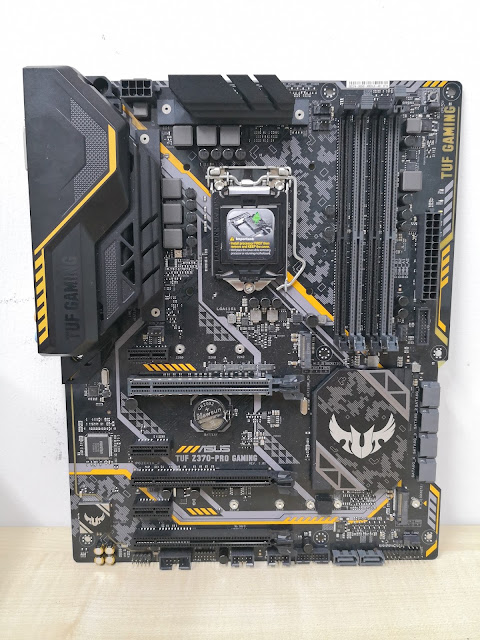
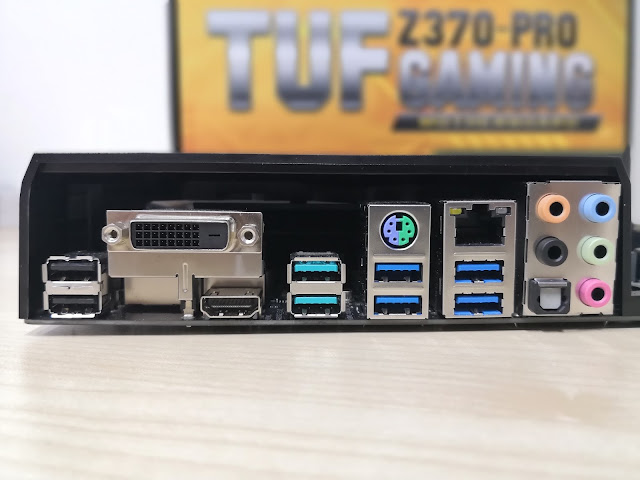
The I/O ports are covered by a large plastic shroud, which compliments the TUF (tough) nature of the branding.
Reliable Gaming System
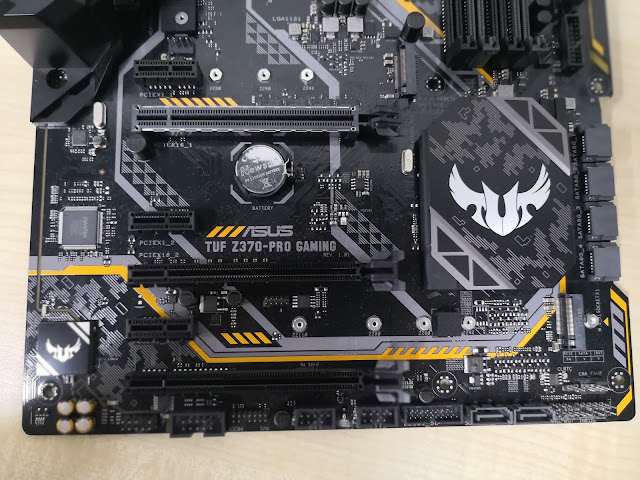
The ASUS TUF Z370-PRO GAMING motherboard aims to hit the sweet spot between price, gaming features and being reliable. Of course, being positioned in mainstream market segment, there will certainly be trade-offs. Our main consideration in this motherboard is therefore its price to performance (and features) ratio. How much value can we get out from this motherboard? Let's take a look at all the different features.
Gaming Focused
Good gaming experiences are generally formed by a multitude of aspects. Particularly, the ASUS TUF Z370-PRO GAMING motherboard has its focus on two of these aspects, namely responsiveness and audio quality.
This motherboard utilizes the Realtek ALC 887 HD sound chip. Even though this is nothing impressive as compared to the higher end Creative's or SupremeFX, ASUS focused on having customized software features to enhance audio quality. Particularly, the TUF Z370-PRO GAMING comes with an Exclusive DTS Custom Software for Gaming Headsets. This software virtualizes the 2.0 audio on headphones and maps every position of sounds into 3D space. Managing the software is also very simple, as users can choose between 3 different preset for the optimal gaming audio.
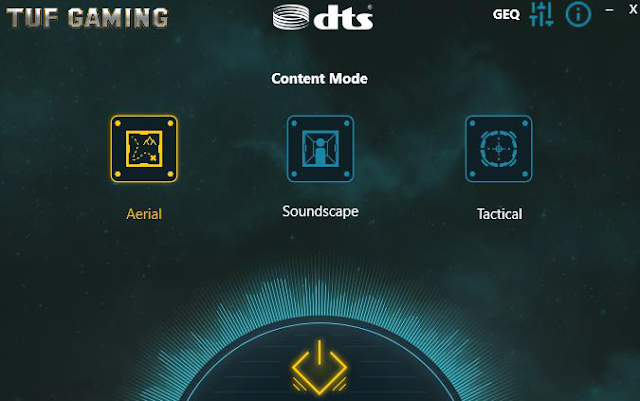
Moreover, in terms of hardware architecture, ASUS designed the audio circuitry specifically to reduce noise. The digital and analogue signals are separated and shielded on the motherboard for "cleaner" audio. Furthermore, each Left and Right channel source are also separated to the audio output to reduce any interference. The audio circuitry is also designed with premium audio capacitors which are also found on products in the higher tier.
To achieve capabilities on network performance for responsive online games, ASUS combines the premium Intel I219-V with their dedicated Turbo LAN software for the best of both worlds. Building up on the known high performance of the I219-V network controller, the Turbo LAN software can also prioritize different network application packets for even better network optimization. Forget about lags or high latencies, the TUF Z370-PRO GAMING has what it takes to give you that unfair advantage in your online games.
Reliability as the core for all TUF motherboard
A motherboard should never be branded with TUF if it is not made to last. Despite only having 3 years warranty on the TUF Z370-PRO GAMING as compared to earlier TUF motherboard which has 5 years warranty, ASUS did not scrimp on including features that prolongs motherboard longevity.

Firstly, the first PCI-e x16 slot is reinforced with a metallic layer. This is said to increase the strength of the slot itself, preventing any damage from over-sized or outrageously heavy graphics cards.
Secondly, like all motherboards from ASUS, the TUF Z370-PRO GAMING is also protected from Electrostatic Discharges that may damage motherboard components. This is achieved by the ESD protective circuit design and I/O proof shielding. All USB ports, LAN port and Audio Connectors also has the ESD Guard that allows the motherboard to manage any extreme electrical anomalies.
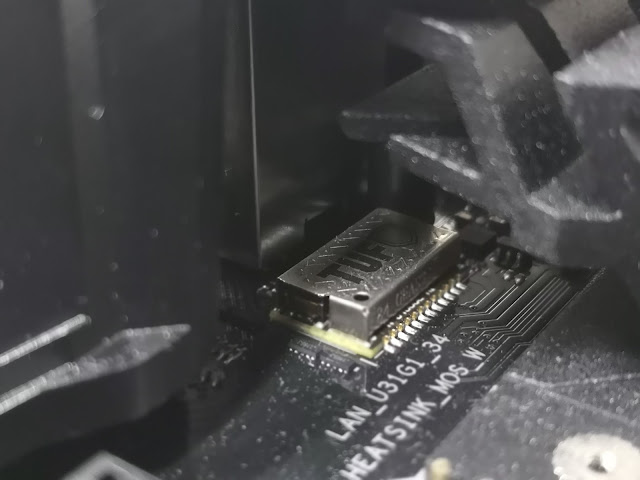
Thirdly, understanding that continuous network operations is fundamental to online games, ASUS's unique TUF LANGuard design can also reduce signal loss from the LAN port. This design protects the motherboard from a sudden surge in electricity, promising a damage-free Ethernet connection.
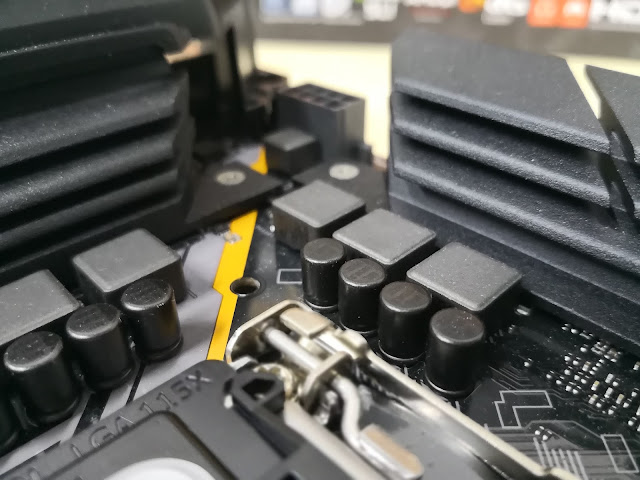
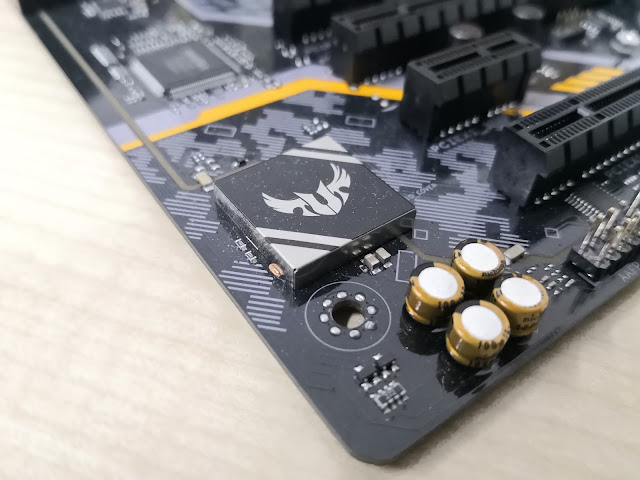
Lastly, as expected of all TUF motherboard, military-grade chokes are used for maximized reliability and longevity. These "TUF Capacitors" are also said to be able to withstand 20% higher temperatures, and have 5x longer lifespan as compared to normal/traditional capacitors. Furthermore, "TUF MOSFETS" are also certified with lower drain source resistance, which in layman terms, ensure better efficiency and lower temperatures.
System Configurations, Testing Methodology and Overclocking Headrooms

| System Configurations | |
| CPU | Intel Core i5-8600K (ES) |
| RAM | 2 x 8GB Geil EVO X @ 3200MHz XMP |
| Motherboard | ASUS TUF Z370-PRO GAMING |
| Graphics Card | Sapphire AMD Radeon RX 550 |
| Storage | Samsung PM851 256GB |
| Power Supply | Cougar 650W |
| Case | Cooler Master Test Bench |
| CPU Cooler | DeepCool Ice Edge 400FS |
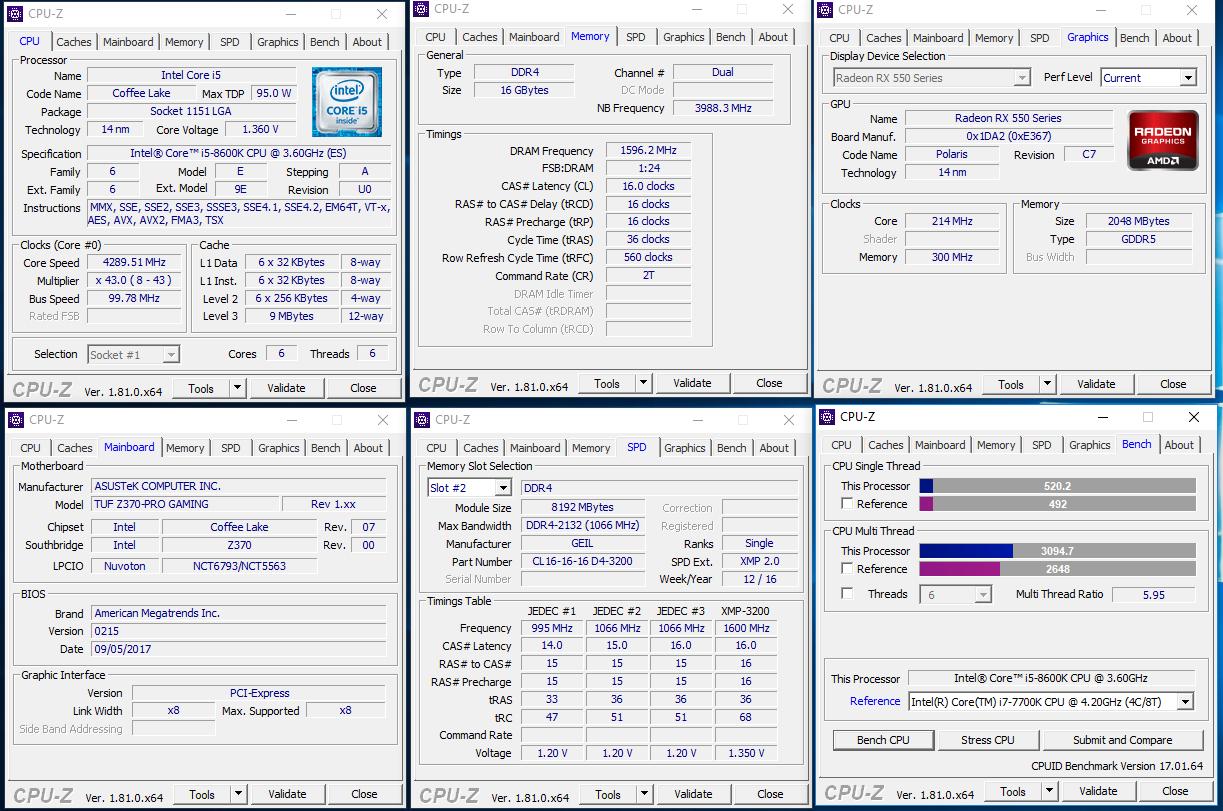
It is usually not easy to test an actual performance of a motherboard as compared to other motherboards, as there are too many factors to consider. Therefore, in our motherboard tests, we are simply going to over the CPU and determine how much more performance this motherboard can extract from the CPU without any signs of instability. We will be running a stock system with CineBench R15 and use it as a baseline for comparison.
We then used the motherboard's OC Tuner II features to automatically overclock the CPU, which automatically overclocked to reach a decent 4.7GHz.
However, we will not settle with a mediocre 300MHz increase in frequencies. As such, we pushed it even higher, and manged to reach a clock speed of 4.95GHz.
Overclocking Results and Performance Improvements

From the results, we can identify that the Intel Core i5-8600K scales very well to increase clock speeds. We also saw that the ASUS TUF Z370-PRO GAMING motherboard was able to sustain the overclock very well even at higher voltage levels.
Based on the results, we yield a 26% increase in performance just by overclocking the CPU. Of course, we also understand that the overclocking the CPU will increase its temperature and reduce the stability of the system. Moreover, the CPU could also be less energy efficient. Let us now take a look at the temperature differences between a stock CPU setting and overclocked CPU setting on this motherboard.
Temperatures
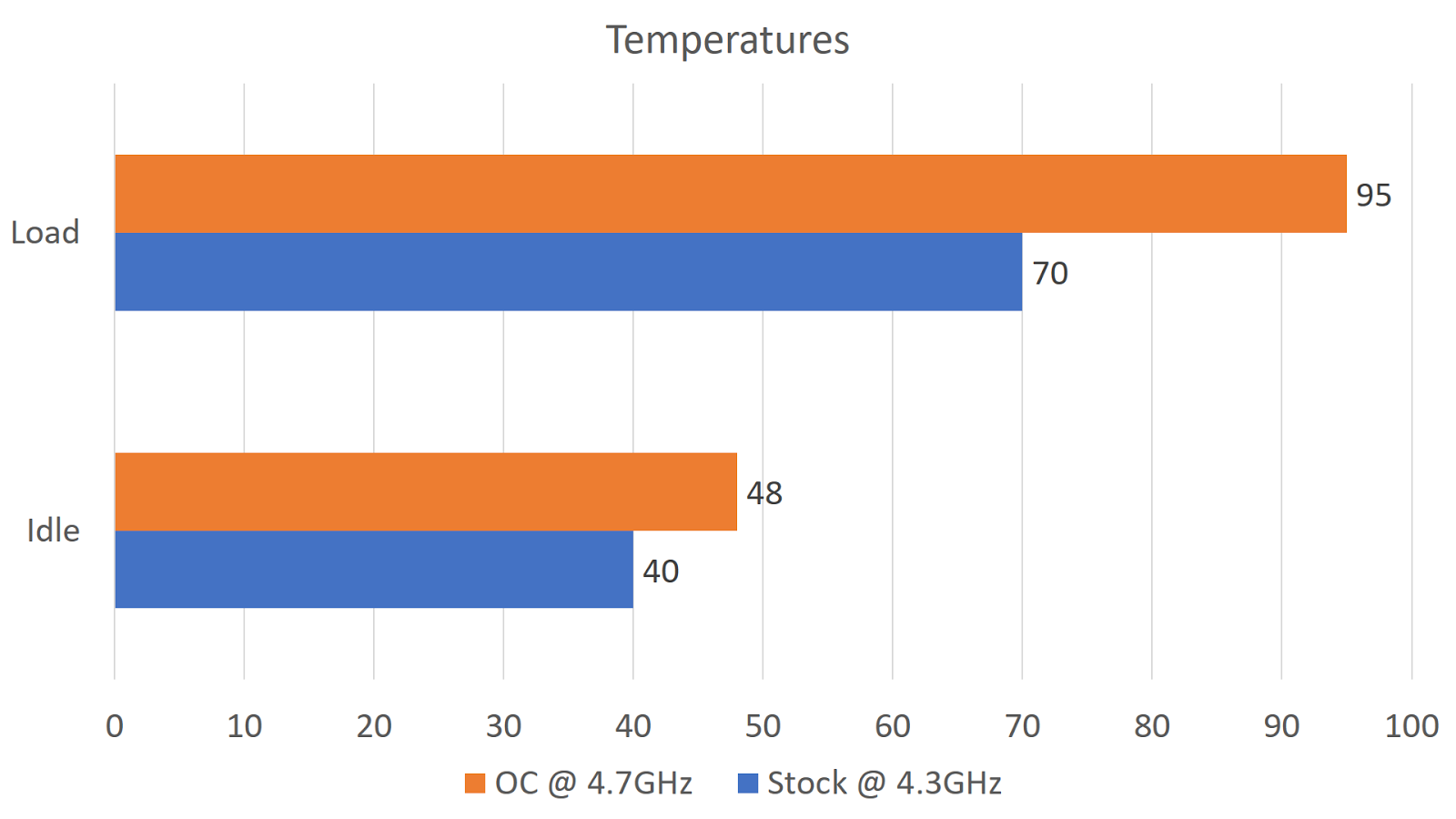
The idle temperature reading was taken 3 minutes after a full system restart. The load temperature is taken during a Cinebench R15 benchmark when the benchmark is about 80% complete.
There was a very significant increase in the temperature between before and after overclock. This is likely due to the poor performance of the CPU cooler that we were using in our setup. Also, as Intel is also infamous for the use of poor Thermal Interface Materials that inhibits efficient heat transfer, excess heat cannot be dissipated effectively. Based on our tests, any higher overclocks will result in thermal throttling, and thus yield a lower benchmark score.
It is likely that the motherboard could have reached even higher overclocks, if not for the thermal limitations of the CPU. We were pleasantly encouraged by the performance of this motherboard, as it was able to sustain higher than usual overclocks, and withstand high temperatures of the CPU as well.
Final Words and Conclusion

The ASUS TUF Z370-PRO GAMING motherboard lived up to its the name of the TUF branding. However, we do miss the unique designs of the thermal armour and long 5-year warranty of the TUF Sabertooth and Gryphon series. Nonetheless, this motherboard excels in its performance and is differentiated from competition with its focus on both reliability and gaming features. As such, we will be awarding the ASUS TUF Z370-PRO GAMING with the Innovation award, for bringing solid new features to a new product lineup that covers a specific gap in the market.

The ASUS TUF Z370-PRO GAMING retails at SGD329, and can be purchased at local resellers at Sim Lim Square or any other official locations.
| Factor | Description | Score |
| Innovation | - Utilizes software to further enhance the performance of its related hardware. Unique cut out from motherboard for more accessible SATA ports. | 8.5 |
| Design | - Cool Red LED strip that complements well with its dark PCB. Well engineered PCB designs for improved performance. | 8.0 |
| Value | - Considerably affordable as the motherboard has uses reliable components and has gaming features. | 7.5 |
| Performance | - Was able to perform stably even when overclocked at a considerably high clock speed. | 8.0 |
| Total Score | 8.0/10 | |


