Retiring IT equipment involves more than removing devices from the active environment. Even decommissioned laptops, servers, and storage drives can hold sensitive business data, user credentials, and cached session tokens that leave organizations vulnerable long after day-to-day use ends. Mistaken beliefs that emptying the recycle bin, deleting files, or performing a factory reset eliminates risk can lead to breaches and regulatory scrutiny. The path to genuinely responsible disposition starts with recognizing data-bearing devices as persistent high-risk assets until security controls demonstrate that data is fully eliminated or irretrievably destroyed.
Why data remains after devices are retired
Tech refreshes and cloud migrations can create piles of outdated equipment, but powering off a device does not make its data disappear. Solid-state drives (SSDs), hard drives (HDDs), and mobile flash storage can retain recoverable traces, even after deletion. Credentials may linger in system memory, and cloud-synced devices could still store authentication tokens or confidential business files.
Many teams assume a reset-to-factory state is adequate for all storage media. However, factory resets often do not fully overwrite underlying data sectors, particularly for SSDs or networked appliances. Tools are available to recover files accidentally left behind, making improper device disposal a known threat vector for data loss. For instance, a remote employee returning a laptop without proper intake or data sanitization controls may inadvertently expose company data, as a routine factory reset may not remove sensitive content from the device’s storage.
Where data exposure risks arise during disposition
Security risks can increase during the various stages of asset retirement. Untracked devices may be lost during on-site consolidation, while unprotected staging areas create windows where unauthorized staff or contractors might access equipment containing sensitive data. For example, a staging area with inadequate access monitoring may allow someone to remove a data-bearing device unnoticed. During transport, gaps in documentation or insufficient controls during handoffs, especially when using third-party logistics providers, increase the likelihood of misplacement or tampering. A breakdown in the chain of custody, such as losing track of serialized devices while switching carriers, can prevent organizations from verifying whether assets were handled securely. Improperly labeled hardware without unique serialization can make audit trails difficult, which could complicate investigations if leaks are discovered later.
Data sanitization methods and decision points
Most devices require one or more layers of data sanitization before they can be safely repurposed or recycled. The appropriate technique depends on media type, risk profile, and intended disposition:
- Clearing: Basic data deletion, suitable for devices staying within secure environments, but not recommended as a sole control for high-risk assets.
- Purging: Overwriting storage media to make data non-recoverable, or using cryptographic erase for encrypted drives.
- Destruction: Physically dismantling or shredding drives, often used when devices cannot be cleaned or will exit all company control.
For example, overwriting is commonly used for traditional HDDs, while cryptographic erase may be preferred for self-encrypting SSDs or devices using full-disk encryption. Degaussing disrupts magnetic alignment but does not apply to all media types, so method selection must match the underlying hardware. If a company needs to decide between purging or destruction for failed SSDs, it should consider whether the device still functions and if verified erasure is possible before opting for physical destruction.
Maintaining chain of custody and verifiable records
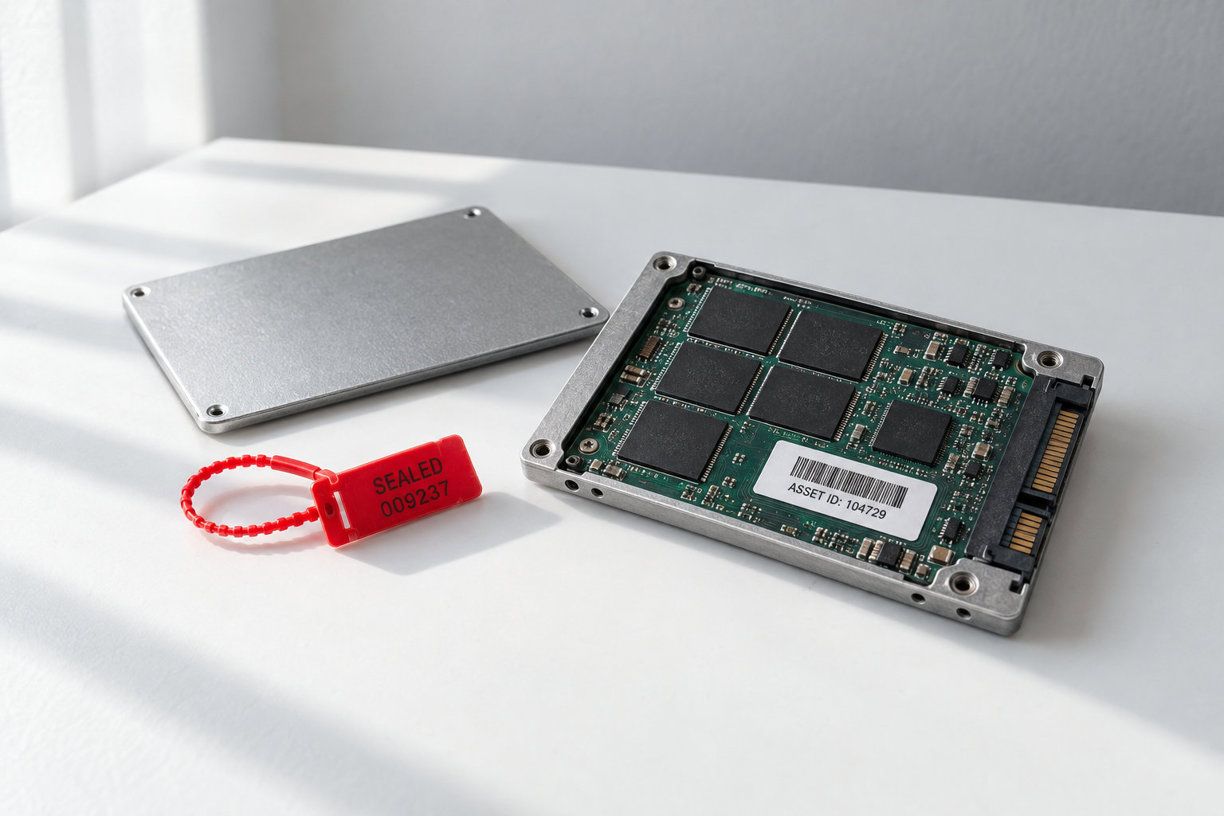
The entire disposition process should be traceable with verifiable documentation. Tracking assets by barcode or RFID, recording serial numbers, and maintaining a current system of record helps prevent mix-ups. Tamper-evident seals can be used during transport and storage. Keep evidence such as wipe logs, destruction certificates, and chain-of-custody records for each asset. As an example, bundling wipe logs and certificates into audit evidence packets streamlines compliance reviews and provides proof of proper handling. Assign responsibilities so that no single individual controls all critical stages, and record exceptions, such as failed wipes or accessories with retained memory, for later review. These steps not only lower breach risks but also position your organization for internal or external audits. Organizations often coordinate these processes in conjunction with IT asset disposition services to ensure that industry best practices, secure documentation, and handling standards are consistently followed throughout every phase of the asset lifecycle.
Aligning asset disposition with policy and audit requirements
Connecting your asset disposition workflows to written data security policies and retention schedules supports consistency. Audit teams commonly request inventories, sanitization reports, and documentation demonstrating that processes adhered to relevant internal requirements. Retain these records for a period matching your compliance obligations.
Internal teams should periodically review both documented procedures and the evidence retained from each hardware cycle, making sure records are accessible and defensible if a breach investigation or regulatory review occurs.
Best practices for operational security
Reducing breach probability starts with pre-disposition triage, identifying device function, storage type, and the presence of encryption before taking action. Standardize staging areas with access controls. Document exception handling for failed drives, encrypted or locked devices, and returns from remote or hybrid staff. For example, remote employee laptops should be received using a documented intake process, recording serials, checking for data remnants, and following company-specific sanitization protocols. For employee communications, include a reminder to back up your data to approved company locations before sanitization begins, so needed files are preserved without keeping unmanaged copies. Continuous improvement can be driven by post-disposition reviews, tracking metrics like process deviations or near-misses, and updating workflows based on lessons learned.
Checklist evaluating your end-of-life device workflow
- Is your asset inventory current and does it include all data-bearing devices?
- Are there clearly defined procedures for secure consolidation, storage, and transport?
- Do you apply media-appropriate sanitization and verify completion with logs or certificates?
- Is the chain of custody documented at each stage?
- Are retention and audit policies formally aligned with asset disposition records?
By building your program on these foundations, you increase confidence that data security will hold firm even as your hardware moves onto its next chapter.